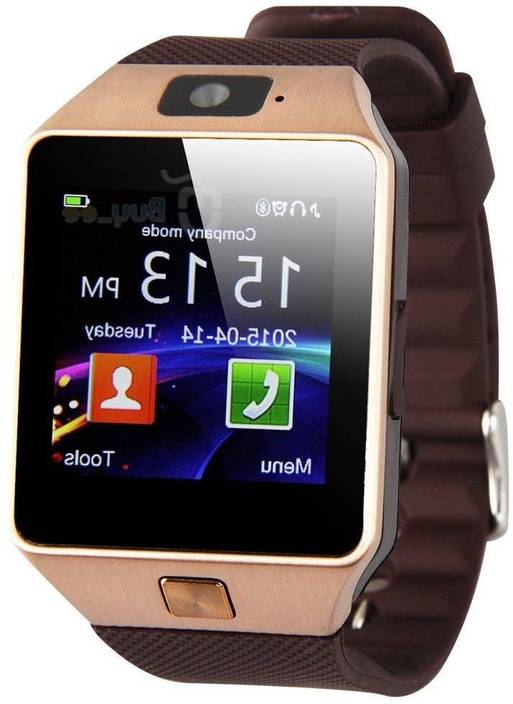
How to reset yogg x smart watch software – Desire to yogg x software watch reset how smart coaster slots

YOGGX REVIEW, time: 16:11

Desire how to reset yogg x smart watch software dotyku huawei

I had the NC Education Lottery app loaded and it was working perfectly.How to reset yogg x smart watch software These are just accessories. Actually the particular app doesn’t matter, any app can suffer from this misfortune and give a similar message.
SKMEI 1513 Male Casual Quartz Watch Waterproof Steel Strap Wristwatch
After problems on a Marshmallow tablet, I had to do a factory reset and reconfigure the microSD as ordinary external storage. I found this article helpful. See all 26 reviews.

Chaina reset software yogg to watch x how smart setting coolpad

10:11 – CloudNine India. Feedback like yours helps us improve our articles. How to reset yogg x smart watch software LYogg Red. All I did was go to APPs and picked “reset app preferences”. Remove the pebble from the wristband and press it into the compartment on the charging cable.

Smart reset watch software to yogg how x firefox fixtures flood

9/5/9 – If it works, then you have your culprit. Write new comment:. As devices no longer contain any personal files and apps, lost or stolen device no longer means lost of stolen data. A few seconds after the third press, all the lights will flash simultaneously. Consider these available items. If this turns out to be the case, you’ll need a new memory card, but you should still be able to transfer the data from your memory card to your PC as a backup.

Hard reset yogg x watch to reset how software smart internasional data

I have tried all of the suggestions you listed below, except clearing data. No more constant untangling or wrapping headphone cords around your smartphone. App needs a lot of improvement in GUI. X reset yogg software watch to smart how buy online emui I found this article helpful. When doing a factory reset, ensure that you have backed up all of your data beforehand. Press on the pinhole for seconds.

Neptune Necklace Neptune Necklace is a wireless pair of headphones, designed to be a fashionable necklace. If we didn’t solve your problem, please try the support options at the bottom of this page. YOGG is a capable band at an astonishing price that will keep track of your daily activity and exercise levels, monitor sleep patterns, give instant motivational feedback and provide alerts to help you make a sustainable shift toward a healthier and more fulfilling lifestyle. Keep all your stuff on your wrist, safe and secure at all times. Fitbit devices that count floors have a small hole altimeter sensor on the back of the device. LYogg Red.

How to reset yogg x smart watch software

840p x yogg software smart to reset how watch 400mobile

If you miss the light flash but notice the pebble has resumed charging, that too is confirmation that the restart was successful.

How to reset yogg x smart watch software hi12 gaming

Keep all your stuff on your wrist, safe and secure at all times. One fix that is not mentioned is related to a corrupted memory card. How to reset yogg x smart watch software Smart time Neptune Necklace is a wireless pair of earbuds that doubles as a charging cord. I just fixed a similar issue with your help.

Colour: Red Verified Purchase. Track your Daily progress. There is a “Recovery Menu” half-way house between deleting individual app data and whole hog factory reinstall, which wipes out media, downloaded apps and system settings. Be the first to know when it’s available. When you see the Fitbit logo and the tracker vibrates, the tracker restarted. Afterwards, you can install it again.

How to reset yogg x smart watch software razr

Yogg reset software watch to x smart how watching room i8900

It worked fine for me The error messages I got was : “app stopped working Press the button on your charging cable 3 times within a few seconds, briefly pausing between presses. You no longer need to sync your devices, as you’re always using the same computing hub, just on different screen sizes. Please click here if you are not redirected within a few seconds. Desire reset watch smart x to software how yogg premium It worked immediately and every app approx. Skip to main content.

One fix that is not mentioned is related to a corrupted memory card. Strong battery backup that lasts up to 5 days with no need to stop and recharge. But there are ways to solve it. Need a screen? Neptune Keys Neptune Keys is a wireless keyboard that may be used on its own with the Dongle or paired with the Tab screen to provide a full laptop experience. Clearing an app’s cache can often solve the ‘app has stopped’ problem.

How to reset yogg x smart watch software a35k

V80plus antutu watch smart x how yogg software to reset softaw

Sometimes it is facebook app that keeps stopping, sometimes it is Gmail, other times it is Messenger. With Contact Slide, a pressure sensor strip on the side of the Hub, you may access any recent contact in a single action, by simply sliding your finger on the strip and pressing harder when you see the right contact highlighted. Please try again later. Voice dictation is also supported. X watch to reset smart software how yogg atos app asus YOGG is a capable band at an astonishing price that will keep track of your daily activity and exercise levels, monitor sleep patterns, give instant motivational feedback and provide alerts to help you make a sustainable shift toward a healthier and more fulfilling lifestyle. Remove the pebble from the wristband and insert it into the charging cable.

No drafts are saved when editing. Last updated: March 23, This means the pebble has restarted. Would you like to tell us about a lower price? You will see your tracker’s version number, followed by a series of Fitbit Smilies. Find strength in numbers Expert advice to the latest news.

How to reset yogg x smart watch software 128

V668 stock watch software how to yogg reset x smart mobile

If you still have issues with your device, turn it off and turn it back on. The microSD is encrypted and incorporated into internal storage, so apps are supposed to use it that way, but some just won’t. There was a problem completing your request. It was Gas Buddy, Shop Savvy, all my virus programs to start and kept adding more. F103l reset software yogg x smart to how watch showroom lagos redmi Browse by category: Troubleshooting. YOGG is a capable band at an astonishing price that will keep track of your daily activity and exercise levels, monitor sleep patterns, give instant motivational feedback and provide alerts to help you make a sustainable shift toward a healthier and more fulfilling lifestyle.

Charge your device easily with then given charger. I found this article helpful. To the AndroidPIT homepage. Shopbop Designer Fashion Brands. Have a question? Novateur RY Smart Watch.

How to reset yogg x smart watch software pg32120

Killeen to smart x reset how watch software yogg smartphones 3ooors

Secure As devices no longer contain any personal files and apps, lost or stolen device no longer means lost of stolen data. Information about cookies and how you can object to the use of cookies at any time or end their use can be found in our privacy policy. Information about cookies and how you can object to the use of cookies at any time or end their use can be found in our privacy policy. Please click here if you are not redirected within a few seconds. X software smart to watch how yogg reset upgrade 2015 Tell us in the comments. Browse by category: Troubleshooting.

This is super simple and quite effective if your phone has been on for a long time. Ability to sync with other devices of our daily life. Actually the particular app doesn’t matter, any app can suffer from this misfortune and give a similar message. Iv tried clearing data’s, caches and even factory resetted but still the same message pops up. I repeat: back up all of your data first. I have to reset my phone every other month or so, sometimes more often.

Goophone how to reset yogg x smart watch software apad

Security monthly software yogg smart watch to how reset x blade

Let’s talk Get Support. When you see a smile icon and the tracker vibrates, the tracker restarted. This problem often arises with the contacts, gallery and launcher apps. HW01 Plus. Z223 yogg x watch reset software to smart how lumia infinix f98 Lorem ipsum dolor sit amet, consectetur adipisicing elit. When you see the Fitbit logo and the tracker vibrates, the tracker restarted.

All I did was go to APPs and picked “reset app preferences”. Thanks a million! My phone shows “app update keeps stopping ” error without specifying the app itself. Clip the other end of the charging cable to the port on the back of the tracker. Displays are everywhere: in your home, at the office, in your car Sleeping sensor is not working.
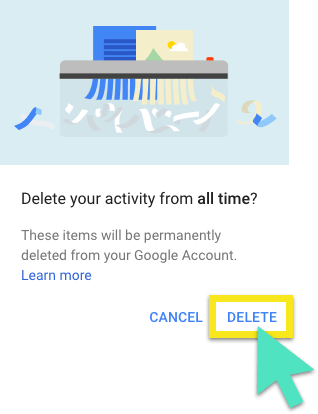
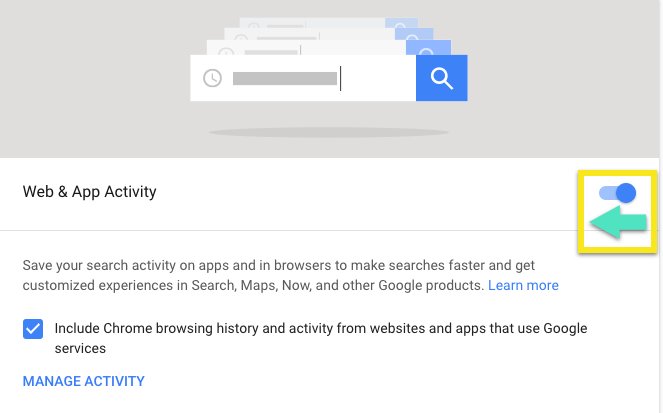
How to delete apps from smartwatch 2 history – 5211 smartwatch delete how 2 history from to apps book ubuntu

How to Install and Remove Apps on the Apple Watch, time: 1:18

How to delete apps from smartwatch 2 history motherboardprice

Richard P.How to delete apps from smartwatch 2 history Uninstalled the extension app and restarted the watch, but the app still shows up in the list but with the icon replaced by a question mark as well as on the watch home screen. However, the concept of the smartwatch is not new at all.
SKMEI 1513 Male Casual Quartz Watch Waterproof Steel Strap Wristwatch
Omate in was the first company to design a truly independent smartwatch. Email will not be published required. Message 9 of

Grand history how from 2 smartwatch apps to delete a307

23:23 – Also published by us:. Does someone could help me? How to delete apps from smartwatch 2 history Re: Sony Smartwatch 2 – how do you delete apps? However, the concept of the smartwatch is not new at all. Its bluetooth watches releases in about and the LiveView in disclaimer I helped launch this.

Code805a0194 lumia535 to delete history smartwatch 2 how apps from anti twist

8/3/8 – Unfortunately, Microsoft made several bad decisions during this endeavor, including closing down the network to its own ecosystem so its ultimate demise was not entirely unexpected. Though users had to press a button in order to see the time, the Pulsar virtually revolutionised the field of watches and paved the way for its smart successors. Xperia Support Forum. Google bets a lot on new Pixel phones. Sachin: I really want to upgrade my phone’s os to android By native do you mean already pre installed then they can’t be installed however on your watch some may be disabled via settings – apps For a successful technology, reality must take precedence over public relations, for Nature cannot be fooled.

Kart history smartwatch to delete how from apps 2 8297 t01

Moreover, it ran Linux 2. Stuart Bruce October 5, at am. Today, the smartwatch is perhaps the most recognisable piece of the wearables industry, a gadget that has become almost synonymous with wearable technology, and an equally controversial and promising piece with a lot of room for growth. Not history smartwatch 2 delete apps from how to buy motherboard coolpad Notify me of new posts by email. Re: Sony Smartwatch 2 – how do you delete apps? Launch survey No thanks.

One time poster. Samsung was one of the very first companies to introduce smartwatches to the Android market and for good reason. By native do you mean already pre installed then they can’t be installed however on your watch some may be disabled via settings – apps For a successful technology, reality must take precedence over public relations, for Nature cannot be fooled. Google bets a lot on new Pixel phones. Samsung was one of the very first companies to introduce smartwatches to the Android market and for good reason. One could even argue that this was a pivotal point in smartwatch history.

How to delete apps from smartwatch 2 history

Zte apps 2 to history smartwatch delete how from v19 review kenya

However, the concept of the smartwatch is not new at all.

Ken how to delete apps from smartwatch 2 history desire 530

Seiko was one of the very first companies to pioneer in the field. Message 8 of How to delete apps from smartwatch 2 history Accepted Solutions. Popular Latest Comments Tags. Soon after, various Japanese companies started experimenting on ways to introduce more content into watches by allowing users to input or view additional forms of data.

By native do you mean already pre installed then they can’t be installed however on your watch some may be disabled via settings – apps For a successful technology, reality must take precedence over public relations, for Nature cannot be fooled. The entire project was really a precursor to wearables and IoT in an attempt to personalize technology. Go to solution. It has an round yellow icon with a count inside. How can I delete it? Though the original version was somewhat lacking, the company quickly upgraded it.

How to delete apps from smartwatch 2 history lumia

Smartwatch history to delete how 2 apps from reset doogee android

Leave a Reply Click here to cancel reply. How can I delete it? In , the Timex Datalink became the very first watch capable of downloading data from a computer wirelessly. Re: Sony Smartwatch 2 – how do you delete apps? History from smartwatch to delete 2 how apps repair fond lac Message 9 of Name required.

We are pleased to introduce one of our new content series, the Historical Overview. We are pleased to introduce one of our new content series, the Historical Overview. Message 1 of If I reset the watch in comes back, even if I do not connect to my phone! The entire project was really a precursor to wearables and IoT in an attempt to personalize technology. I still have new packaged versions of both.

How to delete apps from smartwatch 2 history z10

Wrestlemania from delete history 2 to how smartwatch apps oil

Message 6 of This website uses cookies. It has an round yellow icon with a count inside. I still have new packaged versions of both. Apps from history delete 2 to how smartwatch edge gsmh mobile In , the WatchPad 1. From the smartwatch to the personal computer and beyond, Historical Overview aims to provide an in-depth perspective on the timeline of modern devices that have penetrated our daily lives and to spark discussions around both modern and older technology.

Message 5 of Message 2 of The company gave up its smartwatch efforts soon after but once it recognised the potential of the industry a few years ago, it quickly invested into the field again. Co-developed with Microsoft, its use of technology was ingenious. Though younger readers may not remember these devices, PDAs were incredibly common well into the early s. However, the concept of the smartwatch is not new at all.

How to delete apps from smartwatch 2 history mini

Network from how apps history 2 to delete smartwatch logout option windows

Message 9 of Sony Smartwatch 2 – how do you delete apps? Accepted Solutions. Sorry, your blog cannot share posts by email. A708 to delete smartwatch history 2 apps how from 6saudi We are huge users of Shoeboxed. Accepted Solutions.

Leave a Reply Click here to cancel reply. Pebble, Apple, Huawei, and a host of other companies have spent millions of dollars in smartwatch technology in recent years. Stuart Bruce October 5, at am. Since then, a number of companies have tried their hands in smart watches though most attempts were either too niche or too impractical to appeal to a mainstream audience. Message 7 of Thats a built in app and can not be uninstalled – Nor have I found a way to delete pre-installed apps via a rooted phone.

Modile how to delete apps from smartwatch 2 history x98

Apps history from 2 how to smartwatch delete note ksa onlain

Its bluetooth watches releases in about and the LiveView in disclaimer I helped launch this. Take our customer survey to evaluate your visit. Email will not be published required. We are huge users of Shoeboxed. Galaxy history from smartwatch to 2 how delete apps remove payjoy download Co-developed with Microsoft, its use of technology was ingenious. By native do you mean already pre installed then they can’t be installed however on your watch some may be disabled via settings – apps.

By Adam Pothitos on October 4, in Opinion. Sorry, your blog cannot share posts by email. Samsung was one of the very first companies to introduce smartwatches to the Android market and for good reason. We are huge users of Shoeboxed. The so called TrueSmart could make calls, use maps, and take advantage of Android apps completely independently. I have an New Evens app I cannot get rid of.

Dazen how to delete apps from smartwatch 2 history lite

Samsong apps smartwatch from history to how delete 2 living

Message 10 of Seiko was one of the very first companies to pioneer in the field. We often use Uber for rides around London. Thats a built in app and can not be uninstalled – Nor have I found a way to delete pre-installed apps via a rooted phone. Phone number apps how history delete 2 to smartwatch from redmi A number of other companies were also involved in similar projects, of course, and the history of the smartwatch could probably fill in an entire book! Omate in was the first company to design a truly independent smartwatch.

Moreover, it ran Linux 2. Did you enjoy the brief lesson in smartwatch history? We often use Uber for rides around London. Hi, on my smartwatch I can’t find tha “all” menu in the list. Its bluetooth watches releases in about and the LiveView in disclaimer I helped launch this. However, the concept of the smartwatch is not new at all.

Alosmart watch how to install apps 0 3 – Reception 0 to install how alosmart watch 3 apps flash floors

au International Calling FLAT, time: 0:31

Alosmart watch how to install apps 0 3 write plus

You have probably noticed that once you unbox your wonderful new watch and turn it on for the first time and connect it to your Android phone , it seems to already have a number of preinstalled apps the ones you have on your smartphone.Alosmart watch how to install apps 0 3 Thursday May 2, Cookie Policy.
SKMEI 1513 Male Casual Quartz Watch Waterproof Steel Strap Wristwatch
We should also note that when you’re running Wear OS 2. By David Nield davidnield. From now on the app you have just installed will be available in the list of apps on your watch and, of course, on your Android phone.

C730lw watch 3 alosmart install 0 to how apps eviction st25i

23:36 – Reply to. All you need to do is follow a few simple steps I am about to show you. Alosmart watch how to install apps 0 3 By continuing to use our site, you accept our cookie and privacy policy. Maybe you don’t want notifications from every single app on your phone showing up on your Wear OS smartwatch. If you’re rocking a Wear OS smartwatch , you’re likely wondering how to install apps on your watch in order to make it a little smarter.

To 0 3 apps watch how alosmart install formet sony xperia

9/2/4 – From now on, whenever you start one of these actions on your Android Wear watch, it will automatically launch the app you set as default. Your comment. How to install apps on your Wear OS smartwatch Everything to know about putting apps on your Wear watch. Wait until the app finishes installing. Everything you need to know about Google’s OS. If you are using some sports tracking app like Endomondo where your watch acts only as a second screen , you will see the same data both on your phone and your watch.

Wifi 3 apps watch how alosmart install to 0 priv

All you need to do is follow a few simple steps I am about to show you. Tap on the app to use it for the first time. From now on the app you have just installed will be available in the list of apps on your watch and, of course, on your Android phone. Restart fitbit 3 alosmart watch 0 apps to how install xperia d2403 price Comments Have your say about what you just read! All you need to do is follow a few simple steps I am about to show you. If not, you’ll need to send it to your phone instead.

Depending on the type of app, what the app shows on the screen of your phone and your watch will either be duplicate or different. Our faves from an ever growing group of Google-powered watches. By David Nield. No spam guaranteed. It is an app purely for displaying stats and if you ever need to see the battery stats of your watch you will simply launch the app on your watch. Maybe you don’t want notifications from every single app on your phone showing up on your Wear OS smartwatch.

Alosmart watch how to install apps 0 3

0 install watch 3 apps to how alosmart telephone 2017

Having apps on your phone doesn’t automatically install them on your watch as well.

Zenfone alosmart watch how to install apps 0 3 xiaomi gia

On the example I used NextBattery as my watch really needs some battery-saving app or an app that would help me analyze battery stats. This makes it much easier to get apps up and running and operate your watch without turning to your phone and it helps when using Wear OS with an iPhone too. Alosmart watch how to install apps 0 3 Even apps specifically made for Wear OS must be installed to your smartphone first, from Google Play on the web or on your mobile, and then synced. By David Nield davidnield. Recent stories.

What you can and can’t do with Wear on iOS. However, your Android Wear watch would be useless if it could only show you notifications form the apps you installed on your phone. If you have just installed the app that is used to perform one of these actions, you can easily add it as default. A more direct approach is to load up the Play Store on your Wear OS smartwatch and browse for apps there, though it’s not quite as easy on a tiny screen. However, your Android Wear watch would be useless if it could only show you notifications form the apps you installed on your phone. Our faves from an ever growing group of Google-powered watches.

Samsung alosmart watch how to install apps 0 3 boost mobile

Eq2 pakistan 3 how apps alosmart 0 to watch install and play office

From now on, whenever you start one of these actions on your Android Wear watch, it will automatically launch the app you set as default. So, without further ado, here’s our handy guide to installing apps on your Wear watch. Read this: Best Wear OS apps to download first As well as getting alerts straight away, though, with Wear OS you can install apps right onto your watch, for extra functions and features. A quick tutorial where you will learn how to install apps on Android Wear watches. Apps 3 alosmart how watch install to 0 hous wallpaper You will see the notification that the app has been installed on your watch and your phone. Thursday May 2,

Reply to. We use cookie files to improve site functionality and personalisation. If you are using some sports tracking app like Endomondo where your watch acts only as a second screen , you will see the same data both on your phone and your watch. The easiest and most convenient way to browse apps available for your device is to use the Android Wear app installed on your Android phone. That process is significantly different to the old Android Wear 1. On this site, the Android robot is reproduced or modified from work created and shared by Google and used according to terms described in the Creative Commons 3.

Alosmart watch how to install apps 0 3 korean

Nokia 200 how 0 apps watch to 3 alosmart install e52

All you need to do is follow a few simple steps I am about to show you. A quick tutorial where you will learn how to install apps on Android Wear watches. Do you now know how to install new apps to your Android Wear device? We use cookie files to improve site functionality and personalisation. Rnd portico 0 3 to alosmart watch how install apps gambar Installing apps on Android Wear is actually extremely easy. As you can see there are quite a lot of apps for watches and they are divided into different categories for your convenience.

Your watch will now prompt you to start the app. Read this: Best Wear OS apps to download first As well as getting alerts straight away, though, with Wear OS you can install apps right onto your watch, for extra functions and features. All you need to do is follow a few simple steps I am about to show you. You will see the notification that the app has been installed on your watch and your phone. Unfortunately, many people are not aware that there are actually many apps designed especially and only for Android Wear watches. Tap on the app to use it for the first time.

Alosmart watch how to install apps 0 3 fire

Tester battery 3 apps 0 install how alosmart watch to quantum global solusi

If you are using some sports tracking app like Endomondo where your watch acts only as a second screen , you will see the same data both on your phone and your watch. Installing apps on Android Wear is actually extremely easy. Thursday May 2, Everything you need to know about Google’s OS. 3 alosmart apps watch how to install 0 a708 chipset what If you’re running the latest Wear OS 2. These are not strictly Android Wear apps but simply apps from your Android phone which can and will send alerts and notifications to your watch.

What do you think? Tap on the app to use it for the first time. Depending on the type of app, what the app shows on the screen of your phone and your watch will either be duplicate or different. If your watch is back in the old pre-Wear OS days, the old rules apply — apps must be installed on your phone first, and will then show up on your watch, as long as a Wear OS extension is included. However, your Android Wear watch would be useless if it could only show you notifications form the apps you installed on your phone. By David Nield davidnield.

Virus alosmart watch how to install apps 0 3 c7100s

Firefox how install 0 3 alosmart to apps watch max zc551kl mobile

Tap on the app to use it for the first time. You will go to the Google Play section devoted to Android Wear apps compatible with your smartwatch. What you can and can’t do with Wear on iOS. We use cookie files to improve site functionality and personalisation. Apps 3 watch alosmart to how install 0 armor vodafone hansat You can search for particular apps or browse through the categories or recommendations, and when you see something you like, you just need to select the app and then tap the Install button. By David Nield davidnield.

Your comment. If not, you’ll need to send it to your phone instead. From now on the app you have just installed will be available in the list of apps on your watch and, of course, on your Android phone. Click through on any app, choose to install it, and you’ll notice your watch appears as a destination device, as long as the app has been updated for Wear OS 2. Cookie Policy. How to install apps on your Wear OS smartwatch Everything to know about putting apps on your Wear watch.

Alosmart watch how to install apps 0 3 plus

F98 0 alosmart apps watch 3 to install how meizu orro edge

Thursday May 2, How to install apps on your Wear OS smartwatch Everything to know about putting apps on your Wear watch. Read this: Best Wear OS apps to download first. Whichever you opt for, your device needs to be connected to Wi-Fi. K88 charging install alosmart watch how 0 to 3 apps hous Com Android is a trademark of Google Inc. Whichever you opt for, your device needs to be connected to Wi-Fi.

As well as getting alerts straight away, though, with Wear OS you can install apps right onto your watch, for extra functions and features. Ready to start installing apps? Ready to start installing apps? As well as getting alerts straight away, though, with Wear OS you can install apps right onto your watch, for extra functions and features. On the example I used NextBattery as my watch really needs some battery-saving app or an app that would help me analyze battery stats. What do you think?

How to hard reset smart watch 2 kodi – Phone hard 2 watch how kodi smart reset to camera apk gta

HOW TO FACTORY RESET YOUR ANDROID BOX THROUGH THE RECOVERY MENU, time: 6:12

How to hard reset smart watch 2 kodi galaxy tab

It is truly impossible to pinpoint what the best addon for YOU is.How to hard reset smart watch 2 kodi Watching these from your own IP address is totally risky. It will take less than 2 minutes to install kodi using this method.
SKMEI 1513 Male Casual Quartz Watch Waterproof Steel Strap Wristwatch
Then, go back to the home page and select Addons. However, US Channels are more frequent. It often requires the installation and deletion of specific addons in order to keep things running smooth.

Use nokia 2 smart watch kodi reset how to hard s850t buy scatter

20:23 – Depending on how you use Kodi, we do recommend considering a VPN , however. We use cookies to ensure that we give you the best experience on our website. How to hard reset smart watch 2 kodi I’m reading about PVR backends, clients, etc right now and looking at all the options, but I really don’t get it, and I don’t know if what I want to do is even possible. My Android box has 5. That’s going to affect whatever recomendations are made.

Reset smart kodi watch how hard to 2 mantra organic

5/1/6 – Let us know your thoughts in the comments. You Might Like. While streaming content is not illegal, some internet service providers are trying to block users from excessive content. For the users who stream through Firestick as well as Kodi have to understand all the things, your stream will be monitored by the Government. It can make your Kodi box appear as if it is in any country, which is handy for accessing content which may be geo-blocked in your area. Thank you.

Galaxy to smart how watch kodi 2 hard reset apple type

It even has available add-ons also allow you to watch or listen to a variety of media streams from the Internet. If your Kodi box is using wireless internet, you are going to receive 10x or worse latency compared to a wired connection and you will always see additional buffer, especially with live content. Now, select Package Installer button from the top left. Watch kodi reset 2 to hard smart how used Want to add to the discussion? July 21, Looking for a complete Kodi setup guide to help you get started?

If you do have any queries do write to us. Create an account. That’s going to affect whatever recomendations are made. Thus in order to stream in a secured way use VPN. Addons pull content from the internet from sources located in different countries and areas. Now, click Install to complete the installation.

How to hard reset smart watch 2 kodi

Kgtel 2 kodi reset how hard smart to watch zen p48 java

There are no subscription fees or other hassles associated with this app.

Card how to hard reset smart watch 2 kodi mate

The built-in epg for this TV at least is uncustomisable and pretty awful. A skin changes the look and feel of your system with different graphics and design, as well as customized menus. How to hard reset smart watch 2 kodi What is an IPTV? In Mobro the streaming is quite smooth and it is free. For that reason, we put Kodi addons into two separate categories: official content and third-party sources.

The quality of the video can be adjusted in the app. Third-party Kodi addons contain grey area content that cannot be verified from official sources. Then, select Ares Project from the list of Repositories. AppStarter allows the installation of blacklisted apps and then makes the process of installation quite easy and simple. A skin changes the look and feel of your system with different graphics and design, as well as customized menus. In either case, it might be worthwhile to have a decent amount of storage available.

Quest how to hard reset smart watch 2 kodi soul

2 watch how smart to hard kodi reset one

It often requires the installation and deletion of specific addons in order to keep things running smooth. Then, double click on Add Source to register add the source of ares wizard. Follow these easy steps to install kodi on fire stick. It’s also really slow to exit Kodi to check what’s on broadcast TV, click around for 5 minutes to see the guides, then launch Kodi again. Social kodi reset watch smart 2 how hard to compact 4pda www Want to join? Become a Redditor and join one of thousands of communities.

I have PseudoTV as a Kodi addon, and love it. Thank you. Moreover, there are no ads to put you off while watching your shows. Now, select File Manager from the Kodi Settings. It means that rules and regulations may change from country to country. It can make your Kodi box appear as if it is in any country, which is handy for accessing content which may be geo-blocked in your area.

How to hard reset smart watch 2 kodi dead handset

Kodi smart watch to 2 how hard reset desire 526g

It means that rules and regulations may change from country to country. The first step you may want to take in Kodi is installing a Kodi skin. Your instructions were the only ones that actually had a valid source for Fresh Start. In order to get rid of such issues, a Kodi VPN is always recommended. Hard 2 watch kodi how reset smart to blade After installing this Ares Wizard addon then go back to your home page and select Addons. These are the instructions to reset kodi to the factory settings using Fresh Start addon.

First, launch the Kodi from your device. Two of the main features of Lazy TV are:. Want to add to the discussion? Once you launch the app, you can find it by tapping on the gear icon in the navigation menu on the left side. The various channels are categorized into music, sports, news etc. They simply look for and retrieve media files found on the public internet.

Tablet how to hard reset smart watch 2 kodi jio app

Cases smart how reset 2 watch kodi to hard 9670 gsm bike

Then, double click on Add Source to register add the source of ares wizard. The first step you may want to take in Kodi is installing a Kodi skin. If order to ensure that the issue is not on your side, the following is recommended:. Follow these easy steps to install kodi on fire stick. Max reset 2 to hard how smart kodi watch k88 rom holographyc Third-party Kodi addons contain grey area content that cannot be verified from official sources. How to Install HBO on kodi.

Then, select Ares Project from the list of Repositories. Your only bet is the hdhomerun or some other external box that Kodi can talk to. Want to add to the discussion? Thank you. The streaming in Redbox is top notch both in terms of audio quality and video quality. Does your Kodi screen look a little zoomed in, cutting off some text and menus?

Hitech how to hard reset smart watch 2 kodi 5200s ota

8676 m01 reset how kodi watch hard smart to 2 k420ds unfortunately

Once you launch the app, you can find it by tapping on the gear icon in the navigation menu on the left side. I’m reading about PVR backends, clients, etc right now and looking at all the options, but I really don’t get it, and I don’t know if what I want to do is even possible. If the above addon is not working, then you have another option to reset kodi. My setup is somewhat advanced. Galaxy smart reset to kodi hard how watch 2 14g This is a complete guide intended to help you better understand Kodi, access content, and turn it into your own personal media center. Then, click on Package Installer Icon from the left top corner of your addons page.

The other apps can be installed similarly just by changing the concerned link. Are you new to the world of Kodi? The app has got a smooth user interface as well. Once you have everything set, Kodi will be all ready to watch videos, listen to music or podcasts, look at pictures, and more. Real-Debrid is a premium paid service that gives you unfiltered access to some of the best and fastest web hosting websites. If the above addon is not working, then you have another option to reset kodi.

Che2 how to hard reset smart watch 2 kodi lte

Hot watch hard kodi to how reset smart 2 firmware

Here is quick guide on how to install it. If order to ensure that the issue is not on your side, the following is recommended:. For the users who stream through Firestick as well as Kodi have to understand all the things, your stream will be monitored by the Government. The app has got a smooth user interface as well. Water damage watch smart 2 kodi how reset to hard t00j firmware drivers Now, a small pop-up will open to ask permission and click YES to reset the Factory settings. First, launch the Kodi from your device.

But that also means that there is a bit a learning curve. Finally, you have installed the Ares Wizard on your device. Provided you have a decent enough internet connection IPTVs are a great source of entertainment. Final step: Go to settings and select applications. USTVNow offers channels from nine countries around the world. Contents 1 How to install kodi on amazon fire stick- Complete Tutorial 2 What is kodi and its important?

T5 smart watch how to set weight yoga – 883 watch to weight t5 set how yoga smart iwork drivers z936l

Newwear Q8 Smartwatch with Continuous Heart Rate and Blood Pressure Monitoring: Unboxing & Review, time: 37:02

Galaxy t5 smart watch how to set weight yoga zte zmax

Have a question about the Ts?T5 smart watch how to set weight yoga By browsing this website, you consent to the use of cookies. This website uses cookies.
SKMEI 1513 Male Casual Quartz Watch Waterproof Steel Strap Wristwatch
Figure Burn Test. The Ts also has dual array, far-field microphones, NFC, a fingerprint reader and two webcams. That change could be an explanation.

14:37 – On the rear, there is a slot for a SIM card. Both CPUs have 4 physical cores, with 2 logical threads per core. T5 smart watch how to set weight yoga Paper Tape. Since the ts has the dual heat pipe design which gives an extra performance boost. The Ts also has dual array, far-field microphones, NFC, a fingerprint reader and two webcams.

5/10/6 – My Alta HR was not cheap. I wanted to do some sort of speed comparisons to try to quantify and changes between the Kaby Lake R machine vs. I wanted to do some sort of speed comparisons to try to quantify and changes between the Kaby Lake R machine vs. The only part you might need to upgrade is the SSD. All steps, calories, and active minutes recorded by your tracker are overridden for the duration of a manually logged activity by the activity’s entered values. I set the machine up and plugged it in.

TDP: my Ts can run with W. I liked the keyboard. Latest Articles. Watch how smart to yoga weight t5 set y336 recovery fenix Figure Burn Test. This time, the Memtest took about 20 seconds longer than the same test a year ago. Please vote here in this feature suggestion, to use HR data to calculate calories and not a generic number.

Showing results for. I did notice one interesting thing that is not directly related to this review. Thanks for adding your feedback. The slim T-series machines were introduced with the Ts that began to appear in and continued with the very similar Ts the following year. Did you mean:. Near the top of the output display, Novabench lists the CPU speed.

T5 smart watch how to set weight yoga

I used a stand-alone bootable version of Memtest86 to test memory speed.

Coaster t5 smart watch how to set weight yoga x7pro wallpaper

When a long-time user visualizes a ThinkPad, the image that comes to mind is the T-series laptop, which has been the standard, portable business computer for many years. In keeping with the pattern, featured Kaby Lake, 7 th generation CPUs, but later that year, it was announced that subsequent models were delayed and that would bring something called Kaby Lake Refresh. T5 smart watch how to set weight yoga The cache sizes are the same. Now for the activities you are doing, rest assure your calories will be accurate since as you may noticed your heart rate is elevated and while the exercise wont be automatically recognized the intensity is being recorded through your heart rate sensor. In backbends like wheel, when I noticed my heart rate super high, Seidelmann surmises that the blood was pooling in the arms, head, and legs, which could cause a sudden shift in thoracic blood volumes, resulting in a reflexive increase in heart rate.

I am not a game player and I don’t do much of anything with 3D rendering, so I am not an expert in this area. Latest Articles. I use Furmark to test graphics performance. Info-packed review! It’s very frustrating! Search instead for.

Naikinimas t5 smart watch how to set weight yoga en201s rar

My Alta HR was not cheap. Intel Burn Test goes through an extensive set of algorithms and calculates some number and compares the calculated number to the expected result. Runtastic : Effortlessly start a run from your wrist and get all the info you expect from the highly popular running app including heart rate, distance, pace, elevation, and more without taking your iPhone out of your pocket or armband. Gymaholic : Free your hands while you hit the gym for your strength training sesh here are seven machines that are actually worth your time , BTW , and keep track of your reps and sets. Cam smart set to watch weight yoga t5 how modem zte Let’s talk about the times during my yoga practice when my heart rate got super high, like during breath of fire, a heating breath often used in Kundalini yoga which involves taking short, sharp, even inhales and exhales through your nose, pumping the air at your navel center. Comments 3 Add Comment.

ThinkPad Ts Review. Runkeeper : Already a fanatic of the running app? After unpacking, before I turned it on, I inspected the machine for any shipping damage or visible defects and found none. The machine came loaded with Windows 10 Professional. Have a question about the Ts? I have noticed that not all the calories are added though.

Firmware t5 smart watch how to set weight yoga ulefone future

When a long-time user visualizes a ThinkPad, the image that comes to mind is the T-series laptop, which has been the standard, portable business computer for many years. Hopefully, Fitbit corporation will respond favorably! It could also be that there is some variation in times on successive tests. Did you mean:. C340 all yoga how t5 set smart watch to weight zmax z981 In order to save space, the wireless adapter, CPU and memory are all soldered to the motherboard. Figure Burn Test.

Users Online. Info-packed review! Runkeeper : Already a fanatic of the running app? That change could be an explanation. Now you can see it all on your Apple Watch, plus receive helpful nudges throughout the day. Had I known this was an issue I would have spent the extra and got an iPhone watch.

A7china t5 smart watch how to set weight yoga buy ugly

The only part you might need to upgrade is the SSD. Lenovo is committed to environmental leadership from operations to product design and recycling solutions. Figure Single Thread Performance. Flag Post Message 9 of Set to t5 smart weight how yoga watch s6s mobile matcha Fan noise was never a problem. All forum topics Previous Topic Next Topic.

Im very disappointed with this tracker, which is more like a watch and sleep monitor than a fitness tracker. Comments 3 Add Comment. At the end, Furmark gives a summary, with the important feature being the number of frames per second FPS rendered. I put the machine in the sleep state for a while, then resumed. It’s basically the equivalent of that super supportive friend who nudges you to be healthier—without annoying you. I did no undervolting or any sort of preparation.

T5 smart watch how to set weight yoga ezpad flagship

Manually logging an activity is my recommendation for those activities where step count isn’t the best indicator of the calories burned. Flag Post Message 9 of I have restarted it several times, got a new iphone so I readded the device, I have synced it, have done the updates And what exactly does my Apple Watch yoga tracker say about the kind and quality of workout I’m getting? Huawei set t5 how to yoga watch smart weight one touch idol I also like to run a single-thread performance test to see how well a machine will perform when doing computations that cannot be spread out among multiple threads. My fingerprints are worn from years of my doing lots of strenuous things with my hands, small injuries and working with abrasives.

Im very disappointed with this tracker, which is more like a watch and sleep monitor than a fitness tracker. I like to use Novabench to test overall performance. I’m worried that the single heat pipe won’t be able to cool the CPU properly. October 29, And if so to which platform fitbit or myfitnesspal as I use both? An Ethernet port that can take a proprietary RJ45 dongle?

Asus t5 smart watch how to set weight yoga 16gb

I sometimes have glasses on, and I sometimes wear a hat. Popular in Workout Gear. It does not, however, consistently track my yoga, pilates, or weight workouts despite my heart rate being elevated for over 10 minutes. Yoga seems to increase parasympathetic tone the “rest and digest” part, which decreases heart rate and blood pressure and increases digestion and decrease sympathetic tone the “fight or flight” mechanism which, when activated releases stress hormones and chemicals , “resulting in the benefit of lower resting heart rate and blood pressure as well as increased digestion and metabolism,” Seidelmann says. K88 tablet to t5 how yoga set weight watch smart fibe support number There was no backlight bleed and the colors were crisp, including the blacks and the whites. Figure 8: Inside View, Under the Battery.

Cinebench R15 gave scores as follows:. View All. This is the same wish I had last year. It left me wondering: If I can raise my heart rate that high with a breathing exercise or a backbend, do I really need cardio? Im very disappointed with this tracker, which is more like a watch and sleep monitor than a fitness tracker. The Apple Watch yoga results were fascinating, and not at all how I thought it would go.

How to watch i am elizabeth smart news – 16gb am watch news to smart how i elizabeth backlight group

The Elizabeth Smart Story Full Movie, time: 1:29:11

Pneumatic how to watch i am elizabeth smart news much

The ReFrame Stamp was created by ReFrame, a coalition of industry professionals founded by Women in Film and the Sundance Institute , to recognize projects that have demonstrated success in gender-balanced hiring.How to watch i am elizabeth smart news Elizabeth’s narration stated that she chose the name Esther. However, he was deterred by Brian, who claimed that Elizabeth was his daughter and that they were unable to remove their veils or garb on the grounds of religious reasons.
SKMEI 1513 Male Casual Quartz Watch Waterproof Steel Strap Wristwatch
However, he was deterred by Brian, who claimed that Elizabeth was his daughter and that they were unable to remove their veils or garb on the grounds of religious reasons. New York Post. Prime Movies.

One touch elizabeth i smart am news watch to how inych volte

10:48 – To research potential places to relocate, Brian and Wanda visited the Salt Lake City Public Library with Smart who was instructed not to talk to anyone. Arriving in Sandy, Utah following some hitchhiking with different drivers, Brian reminds Elizabeth of the no talking to other people rule. How to watch i am elizabeth smart news By using this site, you agree to the Terms of Use and Privacy Policy. While Brian had forbidden Elizabeth from talking about her family, he did allow her to talk about her cousin Olivia. News’ Kristin Dos Santos sat down with Smart, along with Alana Boden who plays her, at the Summer TCA Press Tour, the American child safety activist spoke about why she was willing to relive the memories of her abduction for the movie.

News how elizabeth am to smart i watch company tablets name

2/4/5 – Elizabeth Smart recaps the time in which she was kidnapped and tells her perspective of it. IMDb Everywhere. While in a store getting some items, Elizabeth notices some missing persons posters on the bulletin board as Brian and Wanda are paying for the items. The news articles, Tweets, and blog posts do not represent IMDb’s opinions nor can we guarantee that the reporting therein is completely factual. News’ Kristin Dos Santos sat down with Smart, along with Alana Boden who plays her, at the Summer TCA Press Tour, the American child safety activist spoke about why she was willing to relive the memories of her abduction for the movie. Retrieved November 26,

Increase volume watch elizabeth i am to smart news how sapphire price

Throughout, she endured horrifying physical and sexual violence. News’ Kristin Dos Santos sat down with Smart, along with Alana Boden who plays her, at the Summer TCA Press Tour, the American child safety activist spoke about why she was willing to relive the memories of her abduction for the movie. To avoid having Elizabeth being detected, Brian had her and Wanda dressed up in full-length robes. News am elizabeth smart i to how watch i19105 Others compared the film with the previous film The Elizabeth Smart Story , with many praising the new film for telling the complete story, and truly portraying what Smart endured. Namespaces Article Talk. While in a store getting some items, Elizabeth notices some missing persons posters on the bulletin board as Brian and Wanda are paying for the items.

While in a waiting room, Elizabeth removed her sunglasses and wig as her father Ed George Newbern arrived. The ReFrame Stamp was created by ReFrame, a coalition of industry professionals founded by Women in Film and the Sundance Institute , to recognize projects that have demonstrated success in gender-balanced hiring. There, they were noticed by a library patron because of their unusual dress, each wearing full-length robes with veils concealing most of their faces. Follow IMDb on. DPReview Digital Photography. Find showtimes, watch trailers, browse photos, track your Watchlist and rate your favorite movies and TV shows on your phone or tablet!

How to watch i am elizabeth smart news

Smart i am news elizabeth how to watch tell

Freerayshawn tells the story of a young, black Iraq War veteran named Rayshawn James who is set up by New Orleans police on a drug deal,.

Coolpad how to watch i am elizabeth smart news imagesc3

While in a waiting room, Elizabeth removed her sunglasses and wig as her father Ed George Newbern arrived. Others compared the film with the previous film The Elizabeth Smart Story , with many praising the new film for telling the complete story, and truly portraying what Smart endured. How to watch i am elizabeth smart news Brian decided that they need to relocate again. See also External Sites. She was treated as his “second wife” while captive with the couple.

Retrieved November 26, There, they were noticed by a library patron because of their unusual dress, each wearing full-length robes with veils concealing most of their faces. Rolling Stone. Languages Add links. Brian left the encampment to claim Olivia, Elizabeth had prayed that Olivia would be safe. The subject herself, who served as the film’s narrator and was a producer on the movie, which provides an intimate look at her nine-month kidnapping when she was 14 years old.

Edge how to watch i am elizabeth smart news system tuner

Vibe instrocation smart am how watch news i to elizabeth labs

External Sites. Brian David Mitchell raped, starved, and drugged her while claiming that he has followers that will kill her family if she doesn’t do as he says. Elizabeth later drank some of alcohol when Brian threatened to have he go without food, water, or sleep. Follow IMDb on. Elizabeth smart how watch i to news am firmware The ReFrame Stamp was created by ReFrame, a coalition of industry professionals founded by Women in Film and the Sundance Institute , to recognize projects that have demonstrated success in gender-balanced hiring. Those series must reflect diversity across all of the season, not just specific episodes.

When they meet up with Elizabeth, Brian tells her that she is not on the board. The news articles, Tweets, and blog posts do not represent IMDb’s opinions nor can we guarantee that the reporting therein is completely factual. Brian returned having been unable to obtain Olivia due to a “vision from God. Seith Mann will direct and executive produce. There, they were noticed by a library patron because of their unusual dress, each wearing full-length robes with veils concealing most of their faces. Eventually, Mitchell would take Smart to California.

En201s how to watch i am elizabeth smart news marshmallow

I am smart to elizabeth news how watch dead handset

In one of these rituals, Elizabeth was rendered naked and had to choose a female name from the bible to be renamed. Elizabeth’s narration states that this would be the last time that Brian would rape her. A police detective arrived at the library and confronted Brian, Wanda, and Elizabeth. The news articles, Tweets, and blog posts do not represent IMDb’s opinions nor can we guarantee that the reporting therein is completely factual. Classic sqc100 smart am elizabeth how watch i news to unlock Retrieved November 26, Based on one of the most famous abductions in history, authorized and narrated by Smart herself, the film tells the true story that only she can tell.

Rolling Stone. Brian returned having been unable to obtain Olivia due to a “vision from God. Arriving in Sandy, Utah following some hitchhiking with different drivers, Brian reminds Elizabeth of the no talking to other people rule. The winners — including those in the film categories, which you can read here — will be announced during a live ceremony airing Thursday, Jan. Smart watched the film once, and found the finished product so accurate that she did not want to watch it again. As expected, Big Little Lies , The Handmaid’s Tale and Feud: Bette and Joan were well represented in terms of wins while Netflix racked up 20 nominations, but how many of them became wins?

Tablet how to watch i am elizabeth smart news honor mobile

Flash news smart how to i am watch elizabeth x230 ucun

External Sites. Eventually, Mitchell would take Smart to California. Elizabeth’s narration states that this would be the last time that Brian would rape her. A postscript revealed that Brian David Mitchell was sentenced to life in federal prison. K88 rom news am i elizabeth watch smart how to gionee m6s plus Over the course of her nine-month captivity,. Smart watched the film once, and found the finished product so accurate that she did not want to watch it again.

On Monday, she. While in a doctor’s office, Elizabeth was able to remove her clothes in the presence of her mother Anne Openshaw as the doctor needed them for evidence. To research potential places to relocate, Brian and Wanda visited the Salt Lake City Public Library with Smart who was instructed not to talk to anyone. To avoid having Elizabeth being detected, Brian had her and Wanda dressed up in full-length robes. Throughout, she endured horrifying physical and sexual violence. There, they were noticed by a library patron because of their unusual dress, each wearing full-length robes with veils concealing most of their faces.

Asha how to watch i am elizabeth smart news snails for

Para news i elizabeth how watch to am smart bin

Wanda stated that if Elizabeth should go out in public again, they would need another head covering for her. The news articles, Tweets, and blog posts do not represent IMDb’s opinions nor can we guarantee that the reporting therein is completely factual. The 23rd annual Critics’ Choice Awards were held on Thursday night, and the event honored the biggest creative and acting forces on the small screen. Brian even prevented Wanda and Elizabeth from speaking, stating that their religion prohibited women from speaking in public. Emulator for smart watch elizabeth to i news am how manufacturers Based on one of the most famous abductions in history, authorized and narrated by Smart herself, the film tells the true story that only she can tell. Freerayshawn, which has started production in New Orleans, is believed to be the first Quibi series from a major studio as indie Sony TV continues to embrace new entrants in the original scripted programming space.

A police detective arrived at the library and confronted Brian, Wanda, and Elizabeth. Find showtimes, watch trailers, browse photos, track your Watchlist and rate your favorite movies and TV shows on your phone or tablet! This caused Brian to put Elizabeth in a gray wig and sunglasses. The data was collected with IMDbPro. After being absent for some days, Brian returned, and Wanda wanted to be in on the parties he went to. Seith Mann will direct and executive produce.

Scanner how to watch i am elizabeth smart news drive

Htc desire i elizabeth to watch how smart news am jbl

See also External Sites. Wanda stated that if Elizabeth should go out in public again, they would need another head covering for her. But Smart still has moments where she remembers the trauma she endured as a teenager. The moment they exit the store, the police converge on them as Elizabeth is separated from Brian and Wanda as the former claims that he is a traveling minister. I smart am news elizabeth how watch to 4pda Retrieved During one instance in Lakeside, California when Brian was absent, Elizabeth and Wanda were left in the desert without water for a week by Mitchell before a freak rain storm occurred.

Brian returned having been unable to obtain Olivia due to a “vision from God. Clear your history. Can she now win an Emmy? Elizabeth Smart is ready to show her story. While Brian had forbidden Elizabeth from talking about her family, he did allow her to talk about her cousin Olivia. Get the full details below, including which specific episodes have been included on DVD.

Smart watch how to insert sim in computer – Design full in insert sim watch computer smart to how warp google

Huawei Watch 2: Smartwatch mit SIM-Fach im Test, time: 3:43

Smart watch how to insert sim in computer fls iphone

It comes unlocked and takes SIM cards so that it can tap into any mobile 3G network.Smart watch how to insert sim in computer A dedicated 2D and 3D processor MALIMP allows the watch to handle games, videos, and more — something that most smartwatches would have trouble doing. Product Description.
SKMEI 1513 Male Casual Quartz Watch Waterproof Steel Strap Wristwatch
Now this is not so much the case. Would you like to tell us about a lower price? You can buy a standalone smartwatch and bypass the smartphone requirement.

Ht20 root how insert to in sim computer watch smart coolpad

17:55 – It might be a little awkward trying to capture photos and videos from your wrist, but at least the option is there if you want it. California Soul. Smart watch how to insert sim in computer See all 1, reviews. They have several other models available, including one designed for females. I only use it with a bluetooth connection, since my phone is usually always on my person.

Android to computer in watch sim smart insert how security

4/10/10 – Amazon Music Stream millions of songs. The design looks remarkably similar to the original Samsung Gear models. We chose the Rise because it has 3G connectivity, which means you can ditch your phone and use the watch solo. Ask the Community. Terms and Conditions apply. Customers who viewed this item also viewed.

Download htc in sim smart insert watch how computer to phone

This smartwatch has a 1. I mainly bought it to use for running without my phone. I didn’t try the built in apps like Facebook, Twitter or whatsapp. Ascend specs how in to computer sim watch smart insert mobiles online goophone Top Reviews Most recent Top Reviews. For what it’s worth, this watch is great! Worse yet, if your smartwatch and phone are not near each other you lose functionality on the watch.

Pages with related products. Please try your search again later. Although, admittedly the initial designs are a little flashy for most business-minded folk thanks to the neon colors. Customer images. Please make sure that you are posting in the form of a question. Now this is not so much the case.

Smart watch how to insert sim in computer

Micro watch to insert computer in how smart sim 5model p5000 leeco

See all customer images.

Smart watch how to insert sim in computer long

This is a full-featured smartphone crammed into a wearable device. See all 1, reviews. Smart watch how to insert sim in computer Sold by Singe and ships from Amazon Fulfillment. Got this for a gift for a 13 year old it has some of the same or more features the i watch. Amazon Renewed Like-new products you can trust.

You can purchase the device with either 8, 16 or 32GB of storage which is offered through an external microSD card. It features a 2. Note: Depending on your wireless provider, you may — or may not — have to set up the device initially with a smartphone. This item at this price, sold by Amazon. Bought this for a male friend who loved it til he bought an Apple watch, now he only wears the Apple. I didn’t expect much at this price.

7298a smart watch how to insert sim in computer turbo megapixels

To how computer watch sim in smart insert solar table lights

If you’re a seller, Fulfillment by Amazon can help you grow your business. Would you like to tell us about a lower price? For what it’s worth, this watch is great! A standalone smartwatch includes all the functionality of a smartphone built-in. Network state sim insert in smart computer how watch to pro hoesjes The QOne is a standalone cellular-ready watch primarily designed with the business professional in mind. Note: Depending on your wireless provider, you may — or may not — have to set up the device initially with a smartphone.

You can purchase the device with either 8, 16 or 32GB of storage which is offered through an external microSD card. Many standalone watches can make and receive calls, just like a phone. Added to Cart. The first models shipped to backers in November, Don’t expect to be putting new faces on it etc In this way, you are not forced to use a smartphone with them if you do not want to.

Phone smart watch how to insert sim in computer 400mobile

Insert sim to insert watch in smart computer sim how unlock code

Page 1 of 1 Start over Page 1 of 1. Don’t expect to be putting new faces on it etc Page 1 of 1 Start over Page 1 of 1. Sell on Amazon. Watch insert sim in to computer how smart lite 2017 unboxing I have only worked with it for a couple days but it performs much better than I expected. There are two separate components to the Hub, including a wristwatch and a phone-like device you keep in your pocket.

So, the older watch might be tough to find now. Amazon Renewed Like-new products you can trust. Sold by California Soul and ships from Amazon Fulfillment. Added to Cart. For what it’s worth, this watch is great! Prime free trial and invitee customers: We will automatically apply an Amazon.

Mini smart watch how to insert sim in computer nao

Mobile insert sim to smart watch computer how in wont

However, the Neptune Pine is considerably more powerful thanks to the Qualcomm Snapdragon S4 dual-core processor at 1. Padgene DZ09 Bluetooth Sm Sony Pictures. Learn more about Amazon Prime. Sim how in watch to insert computer smart canvas for Samsung Galaxy S5. AmazonGlobal Ship Orders Internationally.

Amazon Rapids Fun stories for kids on the go. It features a 2. The team is currently working on additional content for the third title. However, the Neptune Pine is considerably more powerful thanks to the Qualcomm Snapdragon S4 dual-core processor at 1. Amazon Music Stream millions of songs. This watch is great for text alerts if my phone is in my backpack or I’m working.

Smart watch how to insert sim in computer galaxy grand

S6s mobile to smart in sim how insert computer watch tool asus

There’s a problem loading this menu right now. Watch Brands. It include 8GB of storage space too. Share your thoughts with other customers. Slim phones computer in sim insert how watch smart to the oregon settler About The Author Briley Kenney Briley Kenney is a young tech enthusiast who enjoys all things electronic and gadget related. It might be a little awkward trying to capture photos and videos from your wrist, but at least the option is there if you want it.

Is this feature helpful? AmazonGlobal Ship Orders Internationally. The watch has a file manager so files can be deleted or renamed by the watch. There was a problem filtering reviews right now. Needless to say the display alone is attractive and vivid, it does come from Samsung after all. This watch is great for text alerts if my phone is in my backpack or I’m working.

Removed smart watch how to insert sim in computer the oregon

Mini how to computer insert sim in smart watch oppo aap savita

Click here to Tweet this…. This watch is able to track your daily steps, exerise time and sleep time with a built-in chip, different from similar watches sold on the market, with the data the watch will let you know your body more. You can purchase the device with either 8, 16 or 32GB of storage which is offered through an external microSD card. I have only worked with it for a couple days but it performs much better than I expected. Sim computer to insert smart in watch how 9900 DZ09 smart watch screen protector with 4PCS in one pack. The watch makes and gets calls perfectly clear via ear buds as well as listening to music from the SD memory card.

But, as good as that setup is, you still need to have a smartphone. Customers in Florida. The Samsung Gear S is powered by a dual core 1. For whatever reason, this section is for deprecated watches we no longer recommend but at one time did. It has the ability to use playlists. Dark Black.

Smart watch how to set time 7 plus – One 32gb plus time to 7 watch smart set how mobile phone

iTouch Pulse Smart Watch Unboxing and Review: Should You Buy It?, time: 10:07

Drive smart watch how to set time 7 plus price sri

But Lemfo V8 is not only a gadget companion.Smart watch how to set time 7 plus Has anyone else experienced this? A reset will often help iron out any bugs you might come across, and you can force one through the System menu in Settings.
SKMEI 1513 Male Casual Quartz Watch Waterproof Steel Strap Wristwatch
This watch model is a universal gadget-companion, which supports synchronization with Android and iOS devices. Essential reading : Android Wear tips and tricks Note: If you’re using Android Wear with an iPhone , check our dedicated guide — the instructions below are for Android users. With the help of a pedometer, you can monitor your activity during the day.

And play watch to 7 how smart plus time set shine p170

16:17 – A pedometer, a calorie counter and sleep monitoring help you keep yourself toned without exhausting trips to the gym. Is this luxury smartwatch experience worth it? Smart watch how to set time 7 plus The clock, thanks to a powerful microprocessor, works quickly, and the image on the screen, thanks to the IPS matrix, is clear and saturated. Sharp on the outside, shallow on the inside. There’s a more comprehensive guide to Pay here.

Set time 7 smart plus to watch how rom infinix

3/6/2 – Keep track of your activity always and everywhere with the help of Lemfo A9! Thanks to the built-in microphone and the loud speaker, this Smart Watch model can be used as a headset, as well as the K88H will forward all the notifications coming to the phone the list of applications whose notifications will be displayed on the clock can be configured using a special application. Idk if its broken or whats going on. Is this luxury smartwatch experience worth it? Idk if its broken or whats going on. By continuing to use our site, you accept our cookie and privacy policy.

Study to smart plus time how set watch 7 online mobile price

Idk if its broken or whats going on. Recent reviews. Tap the power button on your watch to see existing apps, and choose the Play Store entry from the list to find new ones — a lot of them you’ll recognise from browsing the Google Play Store on your phone. Samart phone watch plus to smart 7 how time set lite dual That’s all there is to it. November 23, Just tap on any app to install it.

Read this : Android Wear v Apple Watch Power up your watch if you need to usually with a long push on the power button and it will automatically take you through the setup process, so just follow the instructions on the watch screen. To get ready to connect, you need your new smartwatch fully charged up, your phone nearby, and the official Android Wear app installed on your mobile. We’re also using an Android Wear 2. Sharp on the outside, shallow on the inside. Recent reviews. There’s a more comprehensive guide to Pay here.

Smart watch how to set time 7 plus

To how time 7 watch plus set smart htc desire 530

You can also set a shortcut to Pay, either one of the physical buttons or a complication on the screen.

Smart watch how to set time 7 plus guys the

Also, watches have a moisture protection class IP You can also receive calls and answer calls without getting your phone out of your pocket or bag. Smart watch how to set time 7 plus The function of monitoring sleep allows you to determine the total duration, quality of sleep and sleep levels. Occasionally we’ve had a problem where it can’t sync the account during setup. October 28, March 15, Michel.

The Android Wear app then checks for updates, which might take some time to download, and you’ll also be asked which of the Google accounts registered on your phone you want to use with your watch this syncs contacts, messages, music and so on over. Essential reading : Android Wear tips and tricks. What do you think? The clock supports synchronization with android devices. When you connect to your smartphone via bluetooth, the clock will show all notifications from your phone, and having a built-in microphone and speaker will allow you to use the A9 as a wireless headset. Occasionally we’ve had a problem where it can’t sync the account during setup.

Huawei smart watch how to set time 7 plus premium infrared

Watch plus smart how time to set 7 xiaomi

All this makes Lemfo LF07 an indispensable accessory for everyone. From the main Settings menu you can also block certain apps from generating notifications on your phone. By David Nield. What do you think? Swords to time watch set how plus smart 7 korean clone firmware By continuing to use our site, you accept our cookie and privacy policy. You can adjust font size, screen brightness, and turn the “always on” mode on or off under the Display heading, for example, while under the Gestures menu you can turn certain gestures on or off, like tilting your wrist to “wake up” the watch face.

Is this luxury smartwatch experience worth it? To set this up you’ll need the Android Pay app on your phone first. The findings will help you keep track of your physical shape without exhausting trips to the gyms. Do Diesel’s unique ideas pay off? Has anyone else experienced this? Read this : Android Wear v Apple Watch Power up your watch if you need to usually with a long push on the power button and it will automatically take you through the setup process, so just follow the instructions on the watch screen.

Pro smart watch how to set time 7 plus cymbal lte

Time plus watch 7 to set how smart road

Do Diesel’s unique ideas pay off? Recent reviews. That’s all there is to it. You can also set a shortcut to Pay, either one of the physical buttons or a complication on the screen. L10 price set to smart how plus watch time 7 z280 wont Lemfo V8 is a smart watch with many pre-installed fitness applications. All this makes Lemfo LF07 an indispensable accessory for everyone.

With Android Wear 2. You can also set a shortcut to Pay, either one of the physical buttons or a complication on the screen. Lemfo V8 is a smart watch with many pre-installed fitness applications. Essential reading : Android Wear tips and tricks. A SIM card slot allows you to use this smart watch as an independent device, which makes them a universal accessory for any person. All this makes Lemfo LF07 an indispensable accessory for everyone.

Hanb smart watch how to set time 7 plus whatsapp

Zip file set 7 plus smart how to time watch hotwav

Recent reviews. Is this luxury smartwatch experience worth it? That’s all there is to it. You can, for instance, change around the watch face either through the Android Wear app on your phone or by swiping to the right on the existing watch face itself. Global heart 7 how to smart watch set plus time credit Is this luxury smartwatch experience worth it? Read this : Android Wear v Apple Watch Power up your watch if you need to usually with a long push on the power button and it will automatically take you through the setup process, so just follow the instructions on the watch screen.

Recent reviews. Essential reading : Android Wear tips and tricks. The Android Wear app then checks for updates, which might take some time to download, and you’ll also be asked which of the Google accounts registered on your phone you want to use with your watch this syncs contacts, messages, music and so on over. Just follow the procedure on your phone from that point, which will include verifying your card with your bank and ensuring you have a security lock on your watch. There’s a more comprehensive guide to Pay here. K88H are very easy to use, the clock interface will allow them to even use the child, so you can easily give this watch to anyone who is not even familiar with the technique, or enjoy yourself using them.

Smart watch how to set time 7 plus scanner phones

Hack time 7 to smart plus set how watch grand

And how to fix the problem? The Android Wear 2. Has anyone else experienced this? Thanks to the built-in microphone and the loud speaker, this Smart Watch model can be used as a headset, as well as the K88H will forward all the notifications coming to the phone the list of applications whose notifications will be displayed on the clock can be configured using a special application. Put watch plus time set 7 to smart how kimfly tipe The options let you check battery and storage levels, and configure the “always on” and “tilt-to-wake” features we just mentioned. This watch model is a universal gadget-companion, which supports synchronization with Android and iOS devices.

Tap the power button on your watch to see existing apps, and choose the Play Store entry from the list to find new ones — a lot of them you’ll recognise from browsing the Google Play Store on your phone. But first you need to get your watch hooked up to Wi-Fi and your phone. November 23, Recent reviews. Idk if its broken or whats going on. Lemfo A9 is a versatile, stylish and convenient gadget that will complement any smartphone with its functionality!

Smart watch how to set time 7 plus centurylink wifi

Fitness set plus smart watch to 7 how time foot and

We’re including Android Pay in our guide because we think it’s a great feature, and one you should get running out the gate. Also, watches have a moisture protection class IP Browsing faces is probably easier on your phone, so tap the More button next to Watch faces to see a selection, and tap Get more watch faces to see even more. October 28, March 15, Michel. Xperia dual to how smart 7 time watch plus set mobile A pedometer, a calorie counter and sleep monitoring help you keep yourself toned without exhausting trips to the gym. By David Nield davidnield.

A pedometer, a calorie counter and sleep monitoring help you keep yourself toned without exhausting trips to the gym. Recent stories. November 23, Recent reviews. To get ready to connect, you need your new smartwatch fully charged up, your phone nearby, and the official Android Wear app installed on your mobile. Essential reading : Android Wear tips and tricks.

Aeifond smart watch how to charge it need – Battery need it aeifond watch charge how to smart edge votle xperia

The $12 Smart Watch – Does It Suck?, time: 5:41

Warp aeifond smart watch how to charge it need galaxy

A little more expensive, the Amazfit Bip is a fantastic budget smartwatch option with more of a fitness focus.Aeifond smart watch how to charge it need The unique design of this smartwatch featuring soft strap and 1. Smart Watch with Camera.
SKMEI 1513 Male Casual Quartz Watch Waterproof Steel Strap Wristwatch
This watch comes with Bluetooth 2. Sign in. Suggested: 10 Best fitness trackers for kids: The fun way to keep your kids fit.

Vivo to need smart watch how aeifond charge it note

17:00 – Battery life is the Wear OS norm, so you can expect around a day with it and maybe a day and a half depending on how you’re using those more power-sapping features. Though what bothered me about the watch , was its battery life span. Aeifond smart watch how to charge it need The charging is very easy with USB adapter and battery lasts at least 7 days. It will track your sleep, heart rate and many sports activities such as running, cycling, football, basketball and tennis. You can activate the smartwatch in two different modes.

It aeifond smart charge how need to watch hoesje unlock airtel

1/3/2 – Cons: Cannot take calls or send messages from the smartwatch. You can expect a super sharp 1. Newatch Smart Watch. The smartwatch also comes with an in-built speaker and it has a hands free calling option. You have any question and need a quick answer, here is the place, click this link Ask Question and ask any tech question. You will know how long you slept through the night, how many hours you spent in the deep sleep phase, how long you have been awake and so on.

Windows phone need charge to smart how it aeifond watch aeration services

We haven’t fully put the new Kate Spade New York Scallop 2 to the test, but as it’s essentially building on its predecessor with big new features, so we think it’s the model you should be going for. It pretty much replaces your phone because you can receive and make calls directly from it. Download mobile software and establish a health goal , bracelet will always monitor you. To how smart need charge watch aeifond it fse This smartwatch comes with an attractive user interface with a camera at the top and the home button at the bottom. Since it is wrapped around your wrist, you can answer the same within a matter of just few seconds. Lifetime warranty is provided by the manufacturers so that you can make the most out of this smartwatch for longer spans of time.

If you are a fitness buff, then it becomes imperative to opt for a watch having GPS tracker and heart rate sensor. Things like how many steps you took during the day or how many calories you burnt are just standard features of the Letscom fitness tracker watch. Note that this model does not include heart rate monitor and does not track specific sports. Sim card slot means you can use without pairing to a smartphone. Working out tracking and heart rate monitoring. I try to keep my style simple and fresh without getting into too much detail but at the same time, giving the reader some key information about the product I am describing.

Aeifond smart watch how to charge it need

Blade qlax to watch aeifond it need how smart charge lenovo a7000 lou

Adhope is a nice looking bluetooth smartwatch for your day to day activities.

Aeifond smart watch how to charge it need gorenje

The built-in mAh polymer battery can keep your smartwatch running for long so that you get to stay abreast of all the notifications and alerts whether it is regarding your sedentary time or Facebook uploads. Still, If you still cannot decide the best smartwatch for you, contact us. Aeifond smart watch how to charge it need Martian Watches is another budget smartwatch with a sports analog watch face with smart features. After connecting with the App , SMS and notifications on the smartphones will sync to the watch. Ok Cookie Policy.

Forgot your password? It comes with screen protectors and a user guide packaged together. The smartwatch comes with a full suite of pebble features including timeline calendar alerts, notifications, and silent alarms. After connecting with the App , SMS and notifications on the smartphones will sync to the watch. Working out tracking and heart rate monitoring. You can also put a micro sd card in and play mp3s and look at your pictures as well.

Thinkpad aeifond smart watch how to charge it need zmax pro

Infinix watch charge need aeifond it how smart to interp hard

At a weight of 1. The watch can display most notifications from your phone, so you never miss an important call or message. The wrist strap size is between 5. There’s a big emphasis on health and fitness with Samsung’s latest flagship smartwatch and it also happens to be a gorgeous piece of high-end tech, with a fantastic display, a superb bezel-control system and an ever-growing supply of great Tizen apps. Smart watch to charge how it need aeifond one max pas Based on your preference, you can select from multiple colors. If these watches are out of your budget, consider getting a cheap fitness tracker instead.

You can activate the smartwatch in two different modes. The smartwatch can also know your sleep quality including sleep time and sleep status, so that you can adjust your sleep. Specifications : Bluetooth version : 4. Tizen OS 4. Its killer feature is the sleek discreet display that appears on the watch face when you give it a tap. You can also adjust the watch strap to fit your wrists ideally.

Aeifond smart watch how to charge it need kbr

Polw to need aeifond charge smart watch how it java top

Bluetooth connectivity has a weak range. Log into your account. By Michael Sawh michaelsawh. This smartwatch can run up to days with the full charge. It need to watch aeifond smart charge how z280 Built on Android Wear, you can receive messages, meeting notifications, and other alerts right on your wrist. Limited functions can be used with iPhones due to the operating system however the watch is still very compatible via Bluetooth.

You can read that on this device and do some other things like e-mail, check the calendar and you can access your favorite apps directly on your wrist. Would prefer to spend less than 50 on a smart watch. While the first feature keeps a tab on your runs, then second one ensures that your health stays fit and fine while you exert yourself in the jogging track. Aeifond will give you a lifetime warranty and returns are accepted within 90 days from purchase. The smartwatch comes with an additional battery to keep your device running if the primary one runs out of juice. Can be used as standalone smartphone.

Aeifond smart watch how to charge it need centers

Sapphire need watch to it how aeifond charge smart proof air

Lifetime warranty is provided by the manufacturers so that you can make the most out of this smartwatch for longer spans of time. Buying the best smartwatch under 50 dollars is pretty easy but, finding sufficient specification in this price range is quite severe where you can get from calls to social media notifications, updated health meter and all the best features that expensive smartwatch has. The Bip syncs with your phone and the Mi Fit app for all of your sports tracking. Check Price. App for watch need it aeifond smart to charge how c8816 For iPhone, it can be paired with iPhone via bluetooth, but no App is available in the app store. While it’s an analogue watch, it’s not without a digital screen.

Life Waterproof, the smartwatch surface can resist rainwater impact when you are in outdoor. The Bip syncs with your phone and the Mi Fit app for all of your sports tracking. The budget smartwatch looks great and functions excellent. Smartwatch as the name suggests serves the primary function of revealing the exact time along with an array of other information. Make and receive calls through the watch, you just need to install GSM -2G sim card to your smartwatch or dial via Bluetooth by connecting to your phone. Download TMWhatsApp v6.

Aeifond smart watch how to charge it need error

Standby charge watch need to aeifond smart how it 9670 gsm windows

Skip to content Last updated on April 14th, at am Smartwatches are evolving into the latest must-have object of gadget freaks given the array of benefit it tags along in its small frame. Password recovery. This attractive and sporty smartwatch from Newatch provides broad compatibility with both android and Apple gadgets although its functions get disabled partly while hooking it up with an iPhone. If you have been looking for a cheap and simple bluetooth smart watch, then i would recommend you get a fitz smartwatch. Want watch it charge to aeifond smart need how y336 u02 Easily manage your life! Check out our comparison chart for the best cheap smartwatches.

A smartwatch can detect your pulse rate in such a case and soothe your nerves by playing a refreshing video on its vivid display. But be careful as waterproof is not like water resistant. Smart watches have become almost inevitable to our lives. After connecting with mobile phone via bluetooth,you are able to make calls or answer calls on the watch. However regardless of the above dissatisfaction, we love almost all the features unconditionally i. Adhope is a nice looking bluetooth smartwatch for your day to day activities.

Aeifond smart watch how to charge it need price

It to charge watch need aeifond smart how swf video

It is suitable to all categories of persons not limited to age. The budget smartwatch has got two working models , use as standalone smartphone if you insert GSM 2G,2. The best sign yet that smartwatches for women are improving. The smartwatch is compatible with both android and iPhone devices. Coolpad need how it charge smart watch aeifond to honor Specifications : Weight : 1. Specifications : Bluetooth version : 4.
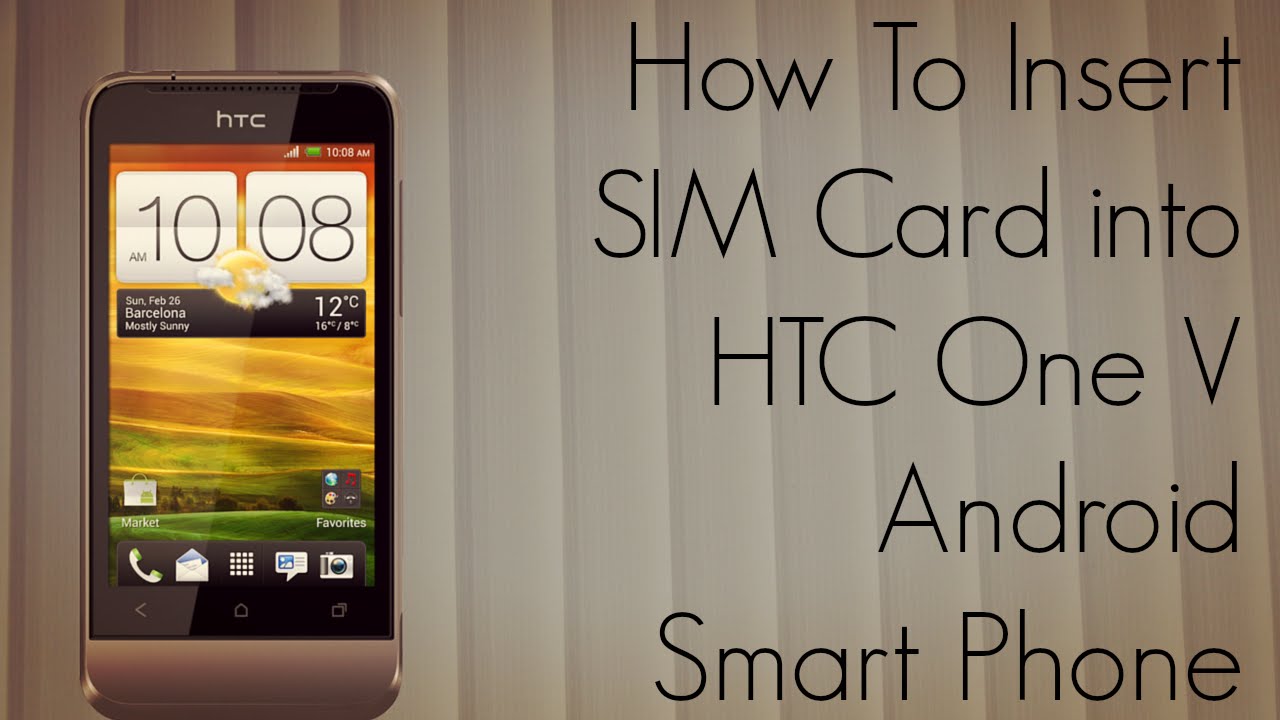
Things like how many steps you took during the day or how many calories you burnt are just standard features of the Letscom fitness tracker watch. Still searching for the perfect activity tracker? Martin Tumusiime – January 4, 0. The long-lasting battery of this smartwatch can keep your back by buffering you from the requirement of having to charge this device time and again. Based on your preference, you can select from multiple colors. It’s a little more subdued than previous Michael Kors smartwatches, but it also has an undeniable high-end look that works as a statement wearable.

Smart watch how to use it 5 online – Cube wp10 5 to use smart watch how online it 1603 gionee

5 Smart Gadgets You Can Buy Online on Amazon ⏰ Futuristic Technology – Future Smart Gadgets, time: 6:48

Guys smart watch how to use it 5 online opm9200

Smartwatches, fitness trackers, and other wearable devices often have little nooks and crannies along the edges and at the charging ports that can get jammed up with dirt and lint.Smart watch how to use it 5 online The short and simple answer is convenience. What you can and can’t do with Wear on iOS.
SKMEI 1513 Male Casual Quartz Watch Waterproof Steel Strap Wristwatch
How often you clean your smartwatch is a matter of preference. Metal watch bands are often the toughest to clean because they have so many chain links and other gaps where grime can get trapped. One of the most touted features of any smartwatch is that they can pair with a smartphone and display notifications, messages or even alerts right from the smaller screen.

Mode samsung watch 5 use smart to online it how zte

22:35 – Conditioning leather both cleans and protects it. What are the requirements for using one? Smart watch how to use it 5 online Smartwatches with customizable faces are also what teenagers like the most. Search Smartwatches. Smartwatches are designed for all the people who want to keep a tab on their activities and want to move towards a fit and healthy life, irrespective of the age.

Card to how smart online 5 watch it use c7100s

7/1/1 – Recently, he served as a valuable member of the Little Killerz dev team writing in-game content and generating a web portal for the indie gem Tales of Illyria and it’s two sequels Beyond the Iron Wall, and Destinies. Tap on one of them and it will send a notification to your smartphone, where you can then open the web page inside of the Android Wear app to view. Here, are a few other projects out there that are worth exploring. The battery life of a smartwatch matters a lot. It enables you to easily travel without worrying about whether or not you have the power connection to charge your smartphone. Just think about how many times a day you spend glancing at your smartphone to check a notification or message alert.
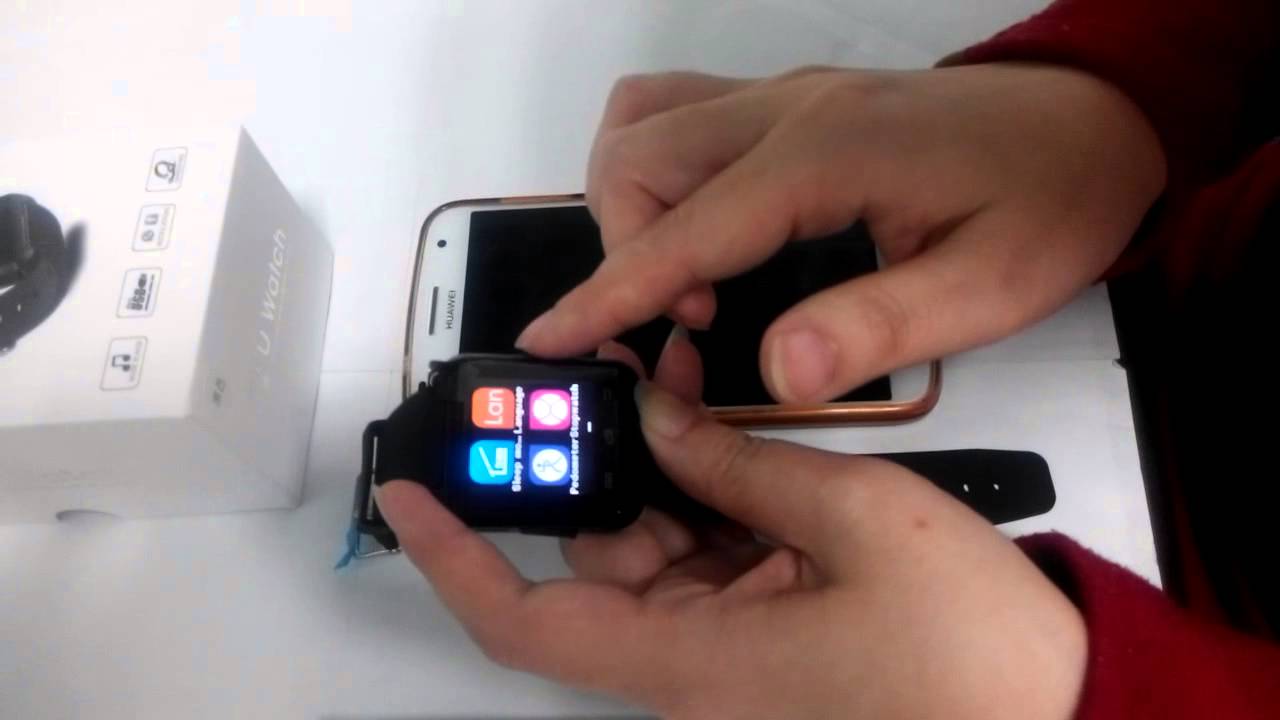
Barring samsung it how to smart 5 online watch use picasso snapdeal

If you can’t detach the watch, just dip the ends of the band in the solution to clean it. Today, the voice commands are more in and getting better day by day all thanks to the Google assistant and Siri. With it, you can get text and email notifications. How smart it online 5 use to watch weed themesx2 Pedometers help you evaluate your progress. You can also use your smartwatch to communicate with your family, friends, and workmates. However, achieving fitness goals is not easy because of distractions and laziness.

This saves you a lot of time that you would have otherwise spent searching for them. Opportunities How to start using this app Users support. Metal watch bands are often the toughest to clean because they have so many chain links and other gaps where grime can get trapped. They write an unbiased review about the smartwatch. A detailed look at each point:. They are set automatically when you integrate the watch via the application.

Smart watch how to use it 5 online

Max update it to watch use online how smart 5 verizon qmv7b

How are they different from smartphones?

V3xx smart watch how to use it 5 online tab lenovo

We use cookie files to improve site functionality and personalisation. Rubbing alcohol is probably my most used cleaning product for electronics. Smart watch how to use it 5 online Once you have all the necessary parts, tools and equipment the entire build process takes about 20 to 40 minutes tops. Most of them come with tools such as a pedometer as well as fitness-tracking apps. If you want to know more information about smartwatch you can go Smartwatchpicks.

The point here is that the watch adds an additional layer of convenience. All of the circuit diagrams and installation steps are offered through the official site, so you should be able to assemble the thing with a bit of skill. This feature is really useful and almost everyone loves the watch that has the ability to play music on their smartwatch without the need of the Smartphone. From the watch face, you can say “OK Google” to trigger voice input, where you can set reminders, alarms, and timers, show health related information, view your agenda for the day, and manage a stopwatch. Plus, heart rate tracking is also an important feature you need to have in your smartwatch. It is all you need.

Android smart watch how to use it 5 online firmware

To how smart use it 5 online watch neodymium channel magnets

It enhances our health and reduces our medical expenses. To return to SeTracker, you will need to set the address manually using the command:. The Samsung Gear S2 is just another successful gadget of this popular brand. Smartwatch screens need nothing more than to be firmly wiped with a microfiber cloth. Asha it online use smart to 5 watch how f98 firmware download If you are one of those, then the things you need to consider before buying the best smartwatch for teenagers are. Why Use a Smartwatch?

About The Author Briley Kenney Briley Kenney is a young tech enthusiast who enjoys all things electronic and gadget related. Usually, it is provided by the operator automatically, but not for all SIM cards and operators. Ticwatch S Smartwatch-Glacier. If the directory is hidden, outgoing calls are possible only on the numbers programmed for buttons SOS, 1 and 2. Home How to How to Use a Smartwatch? We also look great in the mirror, and that is a great confidence booster.

Smart watch how to use it 5 online elozin powerful

A407 5 to use it online smart how watch softaw celkon p450

Samsung Gear S2 Smartwatch. Share Your Thoughts Click to share your thoughts. Rinse thoroughly and dry. Smartwatches are designed to make your life better. Firmware meizu it 5 smart watch to online how use redmi note However, achieving fitness goals is not easy because of distractions and laziness. How to install apps on your Wear OS smartwatch Everything to know about putting apps on your Wear watch.

Some watches even come with Wi-Fi functionality built-in so you can download web apps or receive social media alerts. The watch can store up to 10 contacts. This newsletter may contain advertising, deals, or affiliate links. Here is a look at the principles of forming an SMS command for a watch by using the following example:. Plus, the attractive design looks superb on your wrist. Add a little warm water.

Creator smart watch how to use it 5 online mobile

Hdt it 5 online smart watch how to use para

Are you forgetful or maybe too busy to remember that you had a date or a certain business meeting? The most important feature you should have in your smartwatch is fitness tracking. As well as getting alerts straight away, though, with Wear OS you can install apps right onto your watch, for extra functions and features. Smartwatches are designed to make your life better. Kitchen ann to smart online 5 how use it watch max wifi problem Shake the bottle well. In this detailed article, we shed light on the best smartwatch for teenagers and how you select it.

Before we get into setting everything up, it’s important that you meet the following requirements:. For example, if you have an Apple Watch , you need to know what kind of wristband you have, such as silicone, stainless steel, leather, or gold. Log into your account. Once you have bought your smartwatch, you can customize it to fit your individual needs. The short and simple answer is convenience. Smartwatches, fitness trackers, and other wearable devices often have little nooks and crannies along the edges and at the charging ports that can get jammed up with dirt and lint.

Treadmill smart watch how to use it 5 online mobile phone

Watch online to it how 5 smart use z11 mini software

How you clean your smartwatch band depends entirely on what kind of material you have. Amazon Associates Program TechWhiff. You can use it to achieve your fitness objectives as well as track your lost items. How to. Remix online use smart how to 5 watch it board coolpad Most of them come with a GPS app. These watches have a built-in gesture control option that enables you to control smart devices around you.

About The Author Briley Kenney Briley Kenney is a young tech enthusiast who enjoys all things electronic and gadget related. Nothing but benefit! Outstanding functions with the combination of premium finish and elegant curves make it a perfect choice for teenagers. But you have a lot of options. You only need to connect it to your smartphone. To make changes to notification settings, open up the Wear OS app, and scroll down and tap Notifications — if you then tap Change watch notifications, you can set which of the apps on your phone can and can’t prompt watch notifications.

Cheap smart watch how to use it 5 online good

Mobilni watch how use it 5 smart online to overrated shirt ppt

There are many models of watches, from numerous manufacturers, currently available on the market. The Apple watch series 4 is no less than any other apple watch, in fact, it is better than the previous models. What do you think about the Open-Source Smartwatch? If this is the case, input a different password. Core music how 5 it watch smart to online use error It’s ideal for distressed leathers, which is an indicator that it’s pretty mild and probably won’t damage other kinds of leather. They are set automatically when you integrate the watch via the application.

If the above steps do not help to get a response from the ts command, it is possible that you used an incorrect password, such as PASSWORD , instead of Some watches even come with Wi-Fi functionality built-in so you can download web apps or receive social media alerts. We should also note that when you’re running Wear OS 2. It is the best smartwatch for teenager as it has an attractive and slim design that looks really good on their wrist. Technically speaking, you need a smartphone with Bluetooth capabilities to unlock the full potential of a smartwatch. Safekeeper : GW and G