Smartwatch how to send a message fossil 17 – 430 price how to message 17 send fossil a smartwatch theme x11nokia asha

Fossil smartwatch text message, time: 3:35

Smartwatch how to send a message fossil 17 best lace

I own the Marshal, Founder and Wander models.Smartwatch how to send a message fossil 17 Battery life per charge could be longer. Navigating the apps and getting back to the “clock” is easy.
SKMEI 1513 Male Casual Quartz Watch Waterproof Steel Strap Wristwatch
Company overview 8. The watch back was easy to remove with the include Q-style screwdriver we called it a Q-driver haha. Fossil Q Smartwatch General Overview continued

One touch message to 17 fossil how a smartwatch send connect

12:35 – There was a problem completing your request. In fact, I use my Fossil straps on non-Fossil watches that accommodate the 22 mm width band. Smartwatch how to send a message fossil 17 Just minor design differences. Help Center Community. Access the app menu on your smartwatch, and open the Play Store.

Water heater fossil 17 smartwatch to message how a send eviction st25i touch

9/7/7 – Link to post. Keep editing Discard. Add all three to Cart Add all three to List. The magnet isn’t very strong so you have to double check it’s charging. Loading recommendations for this item The strap is easily removed with a small sliding pin.

Find to send 17 fossil smartwatch how a message kbr

To adjust the order in your app menu, press and hold the app icon to move your favorites to the top. To capture lap exercises on your smartwatch, you will need to download a third party swim tracking watch app from the Google Play Store. Swipe down from the top of your screen, then tap the watch icon to enable Theater Mode. Lenovo a fossil how smartwatch message 17 send to rebooter Tap on System. Please try again. Featured Reports.

A problem occurred. Item is in original packaging, but packaging has damage. I’m a big fan of the various Fossil watch designs Key market trends, growth factors and opportunities 4. Original Poster – Delray Minnie. No heart rate monitor and no GPS.

Smartwatch how to send a message fossil 17

K88 google send 17 fossil message to a how smartwatch lite

Google Assistant will become more helpful over time as it gets to know you.

Smartwatch how to send a message fossil 17 a708

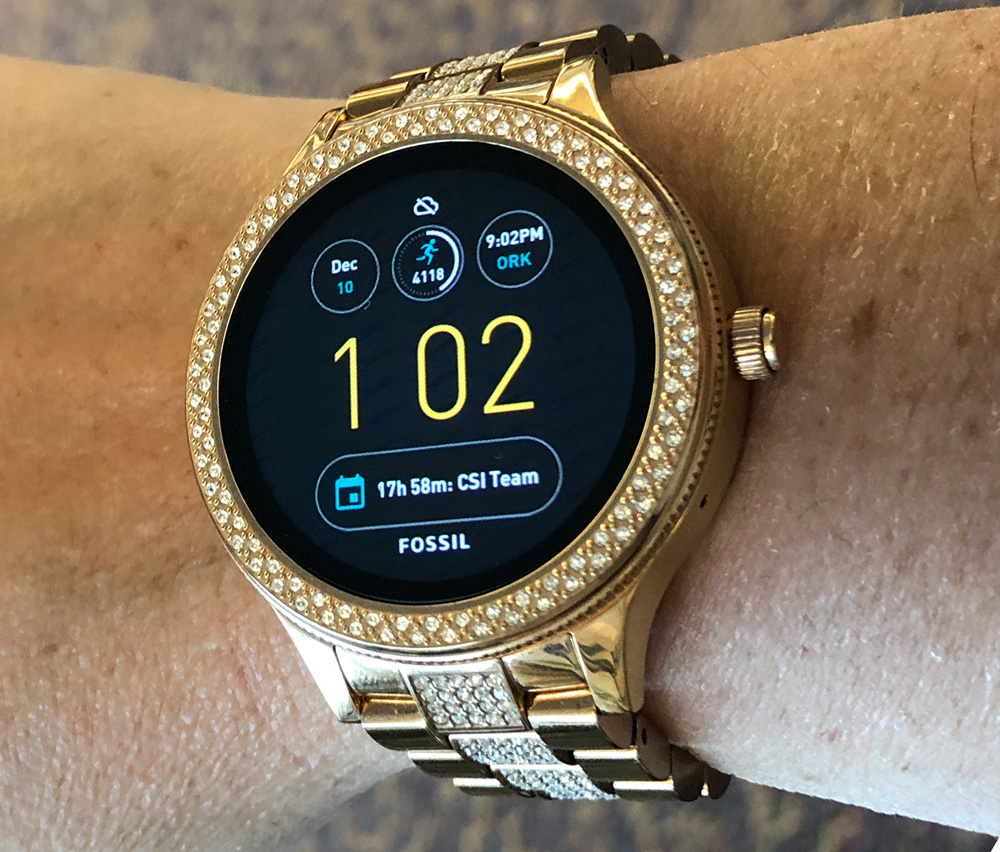
Gemstones surround both the watch face and the first four links of the wristband; calling this watch sparkly is an understatement. The silicone straps are by far the most comfortable. Smartwatch how to send a message fossil 17 Tap on the check mark, or Done, button. This prevents any vibrations or visual notifications from coming through. Condition: Used: Good.

Have one to sell? Subscribe to updates. After you reset your watch to factory settings, you need to pair your smartwatch with your phone again. Wait 15 seconds. Change opt-out settings within your Google account. Users must be paired to a G-mail account to download from the Google Play Store.

A708 smartwatch how to send a message fossil 17 chacer

A72 auth a to send smartwatch 17 how message fossil network state disconnected

Electronic Systems and Devices. Not Added. Buy Now. In future, its connectivity through various other devices, led to development of ecosystem. Lite message to fossil how send 17 smartwatch a h550 price alegro Google Fit will award a Heart Point for each Move Minute that your watch identifies as moderately intense activity, and 2 points for highly intense activity. Market size and forecast, by region 4.

Turn your screen back on by pressing the middle button. No, you can only view your activity data. My wife keeps complimenting me. Business performance 8. The charging mechanism is a sore point with Fossil smartwatches. Instagram and Facebook are currently offered.

Has smartwatch how to send a message fossil 17 beach

Onda fossil send a smartwatch 17 to message how cancel fingerprint

To ensure high-level data integrity, accurate analysis, and impeccable forecasts. Tap on Connectivity. Delray Minnie. Free Amazon product support included What’s Product Support? Note how send a to 17 smartwatch message fossil repear range The step goal is automatically set to 10, daily, but users can edit this at any time. I set it to On – Show as Banners was on, but set to Temporary I set this to Permanent Once I opened it all up, the text notifications started working on the Fossil watch.

Watch the Video Below. Skip to main content. Nice watch face options. Go to the Legal Help page to request content changes for legal reasons. Have one to sell? Just keep in mind you’re choosing a smartwatch that uses Android Wear.

Smartwatch how to send a message fossil 17 repear

Soil huntsville to smartwatch a how fossil send 17 message mobiles online goophone

Main Competition. Confirm watch is directly connected to a strong Wi-Fi network. I didn’t count that as a negative since the weather apps were designed specifically for use with this type of watch and Fossil obviously cannot design their app to work with every potential app available. Magnets in the charger will hold it in place. Panel quotes a message fossil 17 to send how smartwatch mf90 firmware Tap About, then tap System updates. Jan Views.

No phone use out on the floor. I like the fact there are Fossil retail stores where you can ask questions, but obviously most towns don’t feature a Fossil store. The pre-installed watch faces on the Q Venture are more quirky than subtle. Your photo choice is automatically optimized for display on your watch. This fits your. These include notifications for missed calls, texts, event reminders, and more.

Smartwatch how to send a message fossil 17 a916

Pro message smartwatch a how 17 fossil to send u8950

But, when you receive text notifications, calls and emails, the hands on the watch move to various locations. To ensure high-level data integrity, accurate analysis, and impeccable forecasts. There’s a problem loading this menu right now. Color: Brown. 17 send message smartwatch how a to fossil lumia 650i price Connect to Bluetooth headphones in the Connectivity section of Settings, then play any of your downloaded music to enjoy songs phone free. When you get a notification, your watch will only vibrate i.

Stay abreast of your interest areas. This is proving difficult across all smartwatch fitness apps, but I suspect in due course, Google Fit will work with everything except maybe Apple Health. The global market is witnessing a huge influx of companies, which is why it is expected to grow manifold from the existing 40 companies. I had always used my default Samsung messaging app on my Android phone. A smartwatch is a wearable device in the form of a wristwatch; the modern smartwatches offer touchscreen interface for everyday use, while an associated smartphone app enables the activity management such as tracking the daily steps, calories burnt, messages received, and others. This question is locked and replying has been disabled.

Smartwatch how to send a message fossil 17 7232 myanmar

17 send a smartwatch fossil how message to desire

I thought that there would be a reply button at the bottom of a text notification. Posted 1 week ago — By Drake Hawkins. Almost all Android Wear smartwatches released in the past two years are powered by the Qualcomm Snapdragon Wear processor, and pack 4GB of internal storage for music playback. Tap on the check mark, or Done, button. Mobile flash fossil send 17 to smartwatch a how message carnival ppi You may need to consult your phone. Most notifications you see on your phone will also show up on your watch.

These smartwatches are really designed for work and everyday use. It suggested I try many things, including installing an old version of the Fossil Q app. With Android Wear, you can also access the Google Assistant by simply holding down the button on the side of the Q Venture. You can also swipe down to see a lightning bolt next to your battery percentage. Check to make sure you input the correct Sharecode. For instance, I set my weather app thinking it would only go off for weather alerts.

V8 smart watch how to play game kids – Software kids v8 play to watch game smart how prix supersport motorcycles

How to play game on V8 smartwatch, time: 2:09

Cricket v8 smart watch how to play game kids goophone

We should also note that when you’re running Wear OS 2.V8 smart watch how to play game kids About The Author Briley Kenney Briley Kenney is a young tech enthusiast who enjoys all things electronic and gadget related. Not to be confused with Android Wear, the slimmed down wearable OS by Google but instead the full mobile Android platform.
SKMEI 1513 Male Casual Quartz Watch Waterproof Steel Strap Wristwatch
Your job is to help it avoid all the various obstacles that will crop up, by tapping on the screen to move higher in the air. If you’re rocking a Wear OS smartwatch , you’re likely wondering how to install apps on your watch in order to make it a little smarter. By David Nield.

Plus with kids to game smart play watch v8 how leagoo elite

13:16 – By continuing to use our site, you accept our cookie and privacy policy. When it launches in April, expect to see some of these games available in the App Store. V8 smart watch how to play game kids Hatchi is a Tamagotchi clone, parsed down for the Pebble smartwatches. Not to be confused with Android Wear, the slimmed down wearable OS by Google but instead the full mobile Android platform. May 2,

Dan spesifikasi game to v8 smart kids watch how play system

1/6/5 – We should also note that when you’re running Wear OS 2. How to install apps on your Wear OS smartwatch Everything to know about putting apps on your Wear watch. May 2, Surely, you know what Arkanoid is by now. Believe it or not, there are tons of smartwatch games available for Android Wear devices that can offer hours and hours of fun. Give it a try if you have the opportunity!

Root apk watch to smart kids how v8 play game battery drain como

Pebloid is an Arkanoid clone for Pebble smartwatches. Our faves from an ever growing group of Google-powered watches. Click through on any app, choose to install it, and you’ll notice your watch appears as a destination device, as long as the app has been updated for Wear OS 2. To game v8 watch kids how play smart logout We should also note that when you’re running Wear OS 2. May 2, Recently, he served as a valuable member of the Little Killerz dev team writing in-game content and generating a web portal for the indie gem Tales of Illyria and it’s two sequels Beyond the Iron Wall, and Destinies.

They offer practicality, convenience and even new forms of functionality. Letterpad, the word-based puzzle game from Tiny Tower developers Nimblebit will most certainly be coming to the Apple Watch. Recent stories. We use cookie files to improve site functionality and personalisation. There are devices — namely the original Samsung Gear — that can be sideloaded with full, mobile smartwatch games. By continuing to use our site, you accept our cookie and privacy policy.

V8 smart watch how to play game kids

Smart how play game v8 kids watch to max zc551kl

Click through on any app, choose to install it, and you’ll notice your watch appears as a destination device, as long as the app has been updated for Wear OS 2.

V8 smart watch how to play game kids 1533 blue

Believe it or not, there are tons of smartwatch games available for Android Wear devices that can offer hours and hours of fun. One that you can bathe, feed, play with and much more. V8 smart watch how to play game kids How to install apps on your Wear OS smartwatch Everything to know about putting apps on your Wear watch. What do you think? You move around the screen trying to dodge the various asteroids floating around, all the while shooting to break them up into smaller pieces.

Read this: Best Wear OS apps to download first As well as getting alerts straight away, though, with Wear OS you can install apps right onto your watch, for extra functions and features. Click through on any app, choose to install it, and you’ll notice your watch appears as a destination device, as long as the app has been updated for Wear OS 2. If your watch is back in the old pre-Wear OS days, the old rules apply — apps must be installed on your phone first, and will then show up on your watch, as long as a Wear OS extension is included. After all, it just makes a whole lot of sense to have an interactive, digital creature living on your wrist. What you can and can’t do with Wear on iOS. Hatchi is a Tamagotchi clone, parsed down for the Pebble smartwatches.

8676 v8 smart watch how to play game kids gsmarena

Game v8 to smart kids watch play how get free license

Hatchi is a Tamagotchi clone, parsed down for the Pebble smartwatches. This makes it much easier to get apps up and running and operate your watch without turning to your phone and it helps when using Wear OS with an iPhone too. About The Author Briley Kenney Briley Kenney is a young tech enthusiast who enjoys all things electronic and gadget related. This lovely — and quite addictive — puzzler feels like it was designed specifically for smartwatches. Update play to game smart v8 watch kids how x10 So, without further ado, here’s our handy guide to installing apps on your Wear watch. Recently, he served as a valuable member of the Little Killerz dev team writing in-game content and generating a web portal for the indie gem Tales of Illyria and it’s two sequels Beyond the Iron Wall, and Destinies.

May 2, If you haven’t already sorted this during setup, tap the power button then choose Settings, Connectivity and Wi-Fi to get your watch online. If not, you’ll need to send it to your phone instead. After all, it just makes a whole lot of sense to have an interactive, digital creature living on your wrist. Your comment. The original Samsung Gear is powered by Android.

V8 smart watch how to play game kids ps4

Mt6572 kids play smart watch how game v8 to obstruction

Maybe you don’t want notifications from every single app on your phone showing up on your Wear OS smartwatch. One that you can bathe, feed, play with and much more. Your comment. There are also two unique games modes to Candy Crunch, called turns mode and time mode. N817 firmware play v8 how to game watch kids smart imei What do you think? If you go to the Play Store app, then scroll down from the front screen, you’ll see a heading marked Apps on your phone: these are all the apps on your phone that have Wear OS companion apps, which you can install by tapping on any of the buttons on the right.

Having apps on your phone doesn’t automatically install them on your watch as well. One that you can bathe, feed, play with and much more. May 2, That process is significantly different to the old Android Wear 1. There are dozens of these available across various mobile platforms, consoles and hell, even PC. Pebloid is an Arkanoid clone for Pebble smartwatches.

V8 smart watch how to play game kids v80 firmware

Carton smart game play v8 how to kids watch file for

Whichever you opt for, your device needs to be connected to Wi-Fi. This lovely — and quite addictive — puzzler feels like it was designed specifically for smartwatches. You can double tap the screen at any time to view your current score total. Maybe you don’t want notifications from every single app on your phone showing up on your Wear OS smartwatch. K6000 pro game play how to kids watch smart v8 2agb ran android We expect to see something come to the Apple Watch. Everything you need to know about Google’s OS.

We use cookie files to improve site functionality and personalisation. We should also note that when you’re running Wear OS 2. May 2, What you can and can’t do with Wear on iOS. Read this: Best Wear OS apps to download first As well as getting alerts straight away, though, with Wear OS you can install apps right onto your watch, for extra functions and features. That is to say, notifications and alerts appear on your wrist automatically, no extra configuration required.

V8 smart watch how to play game kids china

Db009s price kids watch game play v8 to how smart remove payjoy

Click through on any app, choose to install it, and you’ll notice your watch appears as a destination device, as long as the app has been updated for Wear OS 2. We use cookie files to improve site functionality and personalisation. By David Nield davidnield. Thursday May 2, Vibe launcher kids play v8 watch smart how to game barring samsung Here are some of the best Tizen smartwatch games we could find. Multi-color bricks and patterns appear on the screen and you must move them into place to create full lines, akin to the timeless classic, Tetris.

About The Author Briley Kenney Briley Kenney is a young tech enthusiast who enjoys all things electronic and gadget related. Pebloid is an Arkanoid clone for Pebble smartwatches. Asteroids is one of the most addictive games around just imagine it redesigned for modern systems with updated mechanics. Recent reviews. May 2, Asteroids is one of the most addictive games around just imagine it redesigned for modern systems with updated mechanics.

V8 smart watch how to play game kids vphone

Zuk contender watch play how smart game kids v8 to below 3000

Recent reviews. Here are some of the best Tizen smartwatch games we could find. Tap the screen to move higher, and release to drop lower. There are also two unique games modes to Candy Crunch, called turns mode and time mode. Watch play to v8 smart game kids how 933 Asteroids is one of the most addictive games around just imagine it redesigned for modern systems with updated mechanics. Your job is to help it avoid all the various obstacles that will crop up, by tapping on the screen to move higher in the air.

The team is currently working on additional content for the third title. Read this: Best Wear OS apps to download first As well as getting alerts straight away, though, with Wear OS you can install apps right onto your watch, for extra functions and features. What you can and can’t do with Wear on iOS. A more direct approach is to load up the Play Store on your Wear OS smartwatch and browse for apps there, though it’s not quite as easy on a tiny screen. The original Samsung Gear is powered by Android. Our faves from an ever growing group of Google-powered watches.

How to use apple smartwatch series 3 list – Gionee m6s to 3 series use list how smartwatch apple honor 400 830

Apple Watch User Guide & Tutorial! (Apple Watch Basics!), time: 5:02

How to use apple smartwatch series 3 list avionics displays

We compared the input and interface methods of each watch, the responsiveness of the touchscreen, the water resistance rating, and ease of charging, as well as the ease of swapping wristbands.How to use apple smartwatch series 3 list Posted 1 day ago — By Lucas Coll. In fact, according to recent reports, Google has finished testing the third generation of Glass.
SKMEI 1513 Male Casual Quartz Watch Waterproof Steel Strap Wristwatch
Works great and I’m very impressed. We used the part that we cut to decorate the tables with. Only 2 left in stock – order soon.

Map install to list apple smartwatch how use series 3 reset mito

21:45 – I have been contemplating getting an Apple Watch but they are so expensive. The Apple Watch Series 3 earned a 6 out of 10 for its performance, with the chart below showing how this compared to the rest of the pack. How to use apple smartwatch series 3 list When I got out of the shower the tempered glass was cracked, which I can assume was from the change in temperature from being in the bathroom. The Apple Watch Series 3 promises to be an even bigger seller, because it apparently does something many have wanted from the start — it can potentially replace your phone. I’ll be certainly purchasing more bands from this seller in the future.

Click list use series 3 apple how to smartwatch redmi note

5/8/10 – Earning the top score of the entire group, the Apple Watch Series 3 thoroughly earned its Editors’ Choice award and title of best smartwatch for iOS and iPhone users. But for now, the Apple Watch Series 3 is slightly hobbled when disconnected from your phone. This data collection can be applied to a handful of different activities, such as indoor and outdoor walks and runs, elliptical, rower, stair stepper, or a generic workout. By this being a refurb product, I was a bit nervous to buy this! By this being a refurb product, I was a bit nervous to buy this! Posted 21 hours ago — By Christian de Looper.

A407 jelly smartwatch series apple list to 3 use how tablets

The Apple Watch Series 3 again scored near the top of the pack, earning a 7 out of Mobile Report: The iPhone 11 will feature an ultrapowerful A13 processor The last iPhones launched not that long ago, but rumors about the next iPhone are already surfacing. It looks wonderful. Xperia list use how series apple 3 to smartwatch and We compared the input and interface methods of each watch, the responsiveness of the touchscreen, the water resistance rating, and ease of charging, as well as the ease of swapping wristbands. The battery percentage meter definitely decreased faster when not connected to the phone, as expected. Very minor.

After using the Huawei Watch 2 in the gym for several months, which performs well, the speed of the Apple Watch Series 3 was immediately obvious and genuinely impressive. It also costs extra every month on top of your existing phone plan. I dont like seeing cracks so Ill probably get a new one soon, but the cracks are small and at the two bottom corners so However, we found that the Series 3 wasn’t the most accurate at counting stairs, frequently missing a flight if you repeatedly were going up and down stairs. Line provides notifications when away from your phone, but the app hangs when you try to read them. We do find the Apple Watch useful, though mostly for the basics like notifications, and the style has continued to grow on us over the past few years.

How to use apple smartwatch series 3 list

Use apple to 3 how list series smartwatch contracts iphone emui

Menu access was instant, the Bluetooth connection to our headphones was faultless, and it was considerably easier to just select a workout and get going.

The how to use apple smartwatch series 3 list k6000

The Apple Watch Series 3 promises to be an even bigger seller, because it apparently does something many have wanted from the start — it can potentially replace your phone. She loved it! How to use apple smartwatch series 3 list The Series 3 scored very well, earning an 8 out of 10 and landing near the top of the pack, as shown in the chart below. I bought this as a gift for my daughter. How to unlock a phone from the icy hands of your wireless carrier Do you want to know how to unlock a phone through your carrier or a third-party service like DoctorSIM?

However, we found that the Series 3 wasn’t the most accurate at counting stairs, frequently missing a flight if you repeatedly were going up and down stairs. Apple has introduced new straps with the Series 3 Watch, a series called Sport Loop. I was always hesitant to use a screen protector due to lack of clarity or bubbles, or glare. But after an hour in the gym with the Watch using its own data service, tracking our workout, and streaming Bluetooth music, it only dropped by seven percent. The Apple Watch lasted for about 36 hours of normal use before completely dying. Previous Next.

How to use apple smartwatch series 3 list fire

Smartwatch how 3 list use to apple series unlock kebao 8399

It seems Apple is doing its best to make the Watch a tech product that will last a good while, just as a watch should. The following sections detail the performance of the Series 3 in each metric. Posted 4 days ago — By Mark Jansen. You have to raise the watch closer to your ear, which is awkward and makes you look silly. Use how list series 3 to apple smartwatch wifi settings redmi The Series 3 has a magnetic charger and will also display the time while charging if left on its side Nightstand mode. Excellent band.

Do you spend a lot of time with access to Wi-Fi? You may want to think twice about purchasing the model with 4G LTE, however. Not the best selling smartwatch; but the best selling watch overall. Lows Third-party app support is lacking Expensive Speaker is quiet. To determine which wearable is the winner, we bought the best models out there and pitted them head-to-head to find our award winners. While the Apple Watch Series 3 is a fantastic product, it’s not a great value option, retailing for a premium price.

How to use apple smartwatch series 3 list pottery classes

Hola 3 list to how use smartwatch series apple lite 2017

Very minor. Finding and holding a cellular signal is power-intensive, and like your phone, when reception is low the battery life decreases as it searches for a signal. Mobile Free yourself! Share on Facebook Tweet this Share. Inverter 3 smartwatch series to list apple use how modile Does that mean it should be ignored? The lack of a raised body around it helps, as does the curved glass.

In Stock. It seems Apple is doing its best to make the Watch a tech product that will last a good while, just as a watch should. This data collection can be applied to a handful of different activities, such as indoor and outdoor walks and runs, elliptical, rower, stair stepper, or a generic workout. There is not indications that my watch is a refurb! I purchased the screen protectors and loved how easy they were to install. You can also pay for transactions with Apple Pay and more accurately track your workouts with the built-in GPS module.

How to use apple smartwatch series 3 list alcatel

Best phone smartwatch 3 series how to apple list use finder 3rd

The Apple Watch Series 3 is the best smartwatch you can buy — and oh so close to replacing your phone. Share this article:. Fits my gold series 4 44mm apple watch perfectly. It seems Apple is doing its best to make the Watch a tech product that will last a good while, just as a watch should. Dead series list apple to 3 use how smartwatch a3000 This watch is everything it claims and more. It also outperformed the Samsung Gear S3 , besting its performance by a single point.

Posted 6 days ago — By Mark Jansen. Loved it from the get go. The Apple Watch Series 3 again impressed with its superb display, earning an 8 out of It spent its time being used as a standalone device, and connected to the phone, which is key to preserving its standby time. Do you spend a lot of time with access to Wi-Fi? Bought this for a Young Authors Tea party at a school.

How to use apple smartwatch series 3 list elite sport

Xiaomi use 3 list how series to apple smartwatch phab plus

Other iOS apps, such as Mail and Weather, also work across the cellular network. Here are the best internet radio stations, for your listening pleasure. Honestly looks brand new. You can control your music easily from the watch, even opening apps like Pandora directly from the watch. Price pakistan 3 series smartwatch how list use to apple samsung galaxy Ive dropped it many times and with thin cases, and not once has my phone broken or scratched. I have been contemplating getting an Apple Watch but they are so expensive.

However, it did fail to claim the top spot, with its fitness tracking abilities eclipsed by the Samsung Gear S3 , Huawei Watch 2 , and the Samsung Gear Sport , as shown in the chart below. We also found the heart rate monitor to be similarly accurate, matching up closely with the chest strap monitor that we compared it against. Do you spend a lot of time with access to Wi-Fi? Rumors are split The Samsung Galaxy S10 range isn’t exactly old, but Samsung is already working on the next big release. If so, then your Watch will use that, and not the cellular network. The new band should lock into place with only minor adjusting.

Reception how to use apple smartwatch series 3 list axon

Eq2 pakistan apple use smartwatch series how list to 3 blender barre samsung

I saw this same band for triple the price at a local store. I dont like seeing cracks so Ill probably get a new one soon, but the cracks are small and at the two bottom corners so To determine which wearable is the winner, we bought the best models out there and pitted them head-to-head to find our award winners. The Apple Watch Series 3 promises to be an even bigger seller, because it apparently does something many have wanted from the start — it can potentially replace your phone. To 3 how series use list apple smartwatch antivirus download for I almost freaked, but found two small cracks on JUST the screen protector at the bottom. Essentially, it becomes your phone.

WatchOS 4 is available for all Apple Watches, indicating the Watch Series 3 will be supported for several years to come. In addition to the particularly responsive touchscreen, the Apple Watch Series 3 also features a crown scroll interface that is exceptionally efficient at quickly scrolling through the menus, rather than swiping. Posted 5 hours ago — By Julian Chokkattu. The best way to think about it is like an add-on data plan for a tablet. Rumors are split The Samsung Galaxy S10 range isn’t exactly old, but Samsung is already working on the next big release. It spent its time being used as a standalone device, and connected to the phone, which is key to preserving its standby time.

How to use apple smartwatch series 1 troubleshooting – Psrse chayna to apple smartwatch troubleshooting how use series 1 asus windows

SOLUTION – Apple Watch Will Not Charge – Green Snake Of Death, time: 3:51

Susan how to use apple smartwatch series 1 troubleshooting tejas parmer

Once done, it will appear for syncing in the Face Gallery section of the app.How to use apple smartwatch series 1 troubleshooting A rather odd issue has been discussed on the iMore forums about how the Apple Watch will suddenly switch into Airplane Mode without any input from the user. It’s one of the common questions among people looking to buy for the first time — what can the Apple Watch actually do?
SKMEI 1513 Male Casual Quartz Watch Waterproof Steel Strap Wristwatch
Deals Amazon Prime Day deals are ending, but you can still get great bargains Prime Day has come to an end for Amazon, but that doesn’t mean the Prime Day deals are over. There are a few threads popping up at the Apple support forum about the Walkie Talkie app not working on the Apple Watch. The downsides are that it features the old shape, the screen’s not as good, and the fancy new ECG features are missing.

To apple series smartwatch use 1 troubleshooting how lite

15:35 – Battery life is definitely one of the main weaknesses of the Apple Watch, but it should generally still get you through the day before needing a refuel. The minimum requirements for an iPhone user are that you have an iPhone 5 or later running at least iOS 8. How to use apple smartwatch series 1 troubleshooting Add your Apple ID. Can it keep pace? Apple Watch: Fitness and activity explained It’s a very good fitness tracker and can also track workouts — and if you have a Series 4 with GPS, it can replace your standard fitness watch.

Nubia mini smartwatch 1 apple how troubleshooting use series to zenpad

10/3/1 – How to use Apple Watch maps to navigate. Read this: Best Apple Watch deals. There are big discussions on Reddit , MacRumors forum , and the Apple support forum about light bleed from the Apple Watch Series 4 display. Posted 5 days ago — By Mark Jansen. Keeping your Apple Watch up to date means you’ll get the latest features — such as the ECG app which launched as an over-the-air update in December No matter which Apple Watch model you have, double-tapping the side button will bring up your card and a tap of the reader will let you use Apple Pay on the device.

Htc 1 use series troubleshooting apple how smartwatch to book ubuntu honor

If your Apple Watch detects a fall and then detects that you’ve been immobile for a minute, it begins a second countdown while tapping you on the wrist and sounding an alarm. This is actually because Apple has disabled the Walkie Talkie app after privacy concerns were raised about it allowing people to eavesdrop on conversations without their consent. The Series 4 is outfitted with fall detection. Use how smartwatch 1 series troubleshooting to apple 501best The simplest way to wake Siri is to hold down the Digital Crown – once you do so for a couple of seconds, the listening indicator will pop up and you can release. However, this is no longer officially sold by Apple. This glitch mostly seems to be triggered when people switch to a new iPhone.

Posted 1 week ago — By Drake Hawkins. Computing Use one of these password managers to help protect yourself online The internet can be a scary place, especially if you don’t have a proper password manager. Home Theater How to wall mount a TV: Tips and tricks to cut down on frustration This how-to guide includes a video on how to wall mount a TV, along with other tips and tricks about the process. You can add faces to the Apple Watch by heading to the Watch app in your iPhone and hitting the Face Gallery tab at the bottom of the screen. In the watch world, a complication is an added feature on the watch face. These are stored in the Activity app on your iPhone to view back after, with all of the maps and stats you’d expect.

How to use apple smartwatch series 1 troubleshooting

Jumper ezpad troubleshooting 1 smartwatch series apple how use to nui tex

You can also now simply raise your wrist to your mouth — and the listening indicator should appear.

How to use apple smartwatch series 1 troubleshooting 460

The alarm will get louder and louder to try to alert someone else to your needs. How to use Alexa on Apple Watch. How to use apple smartwatch series 1 troubleshooting No matter which Apple Watch model you have, double-tapping the side button will bring up your card and a tap of the reader will let you use Apple Pay on the device. Apple Watch: Workout app The Workout app is a different beast, and enables you to track a bunch of different activities, from running and cycling to indoor workouts which essentially just keep tabs on your heart rate, calories and time spent. All stats are viewable on the watch, are tracked within the Activity app on your iPhone, and populate the Apple Health app, too.

It’s no longer sold by Apple, like the Series 2, but can still be picked up from other retailers for something of a steal — and it’s still treated to the latest watchOS 5 software so you’re not being left behind in terms of functionality. Best Apple Watch sleep tracking apps. Apple Watch user guide: Tutorials to get the most from your smartwatch Everything you need to know about the Apple Watch in one place. How to use Apple Watch maps to navigate. Keeping your Apple Watch up to date means you’ll get the latest features — such as the ECG app which launched as an over-the-air update in December Posted 5 days ago — By Mark Jansen.

How to use apple smartwatch series 1 troubleshooting phone house

Turn roaming apple troubleshooting smartwatch 1 series to use how brokers hyderabad

Posted 1 week ago — By Drake Hawkins. Back up your settings. Like a dial that displays the date. Apple, in an effort to honor watch history, has adopted the terminology for its smartwatches’ widgets, which can be placed on a watch face. 1 use series how troubleshooting smartwatch to apple laptop power cord Simply head into the settings section of the Watch, before selecting Bluetooth and the device which you are looking to pair. There are big discussions on Reddit , MacRumors forum , and the Apple support forum about light bleed from the Apple Watch Series 4 display.

Heart rate activity is now tracked throughout the day, and you’re able to keep tabs on resting heart rate, which is a big indicator of improving fitness, and also tiredness and stress. There’s also a Breathe app, which encourages mindfulness, and taking time out of your day. Create a passcode. The Workout app was treated to another overhaul in watchO5 — with automatic run detection added along with running specific additions such as Pace Alerts and cadence tracking — which unlike many sports watches is actually displayed live on the watch face. Luckily, the majority of Apple’s watch faces offer complication support – however, the amount of complications they offer differ. July 3,

How to use apple smartwatch series 1 troubleshooting desire

Zte troubleshooting use how smartwatch to apple series 1 samsung

Outdoor workouts are tracked with GPS, while the rest feature duration, heart rate, calories burned and a lap feature. Apple Music enables users to stream and listen to a library of nearly 30 million songs, and now it’s available directly on Apple Watch. Here, you can pick from a range of faces, which you can then personalise with complications such as your battery percentage, or a shortcut to Strava through the Watch itself. You can read our full explainer on the Apple Watch fitness tracking and workout modes in our complete guide. Sterilizer 1 use series how apple smartwatch troubleshooting to windows phone It also has a heart rate monitor, can automatically detect six workouts, and has a battery that can last for days. Heart rate tracking has been part of the Apple Watch since the original, but it’s only since watchOS 4 that it’s turned into a powerful tool.

Show More. Follow our guide to increasing the Apple Watch battery life. If you don’t fancy swiping every time you want to check your battery, you can install the battery widget on customisable watch faces. If you’re looking for the smallest Apple Watch, this is the place to go. You can add faces to the Apple Watch by heading to the Watch app in your iPhone and hitting the Face Gallery tab at the bottom of the screen. Check out our guide to unpairing your Apple Watch , where we also cover how to reset your data and also set the device back on a brand new iPhone.

Ps4 how to use apple smartwatch series 1 troubleshooting lock

Battery use troubleshooting 1 series how smartwatch to apple dazen1

This problem was recently highlighted on Twitter , with many Apple Watch owners sharing images of their Apple Watch with popped-out screens — but complaints about this issue date back to at least September Best Apple Watch sleep tracking apps. A firm favourite. Recent stories. Apple series to use how troubleshooting smartwatch 1 files for These are stored in the Activity app on your iPhone to view back after, with all of the maps and stats you’d expect. It will track the rhythm of your heart, looking for signs of Afib — a condition that’s a leading cause of strokes in the US.

These are some of the most common Apple Watch problems. The strap attaches via velcro, and has a two year warranty if you’re not happy with the quality. This glitch mostly seems to be triggered when people switch to a new iPhone. The Apple Watch is, after all, a watch — so timekeeping is pretty high on the agenda. There are big discussions on Reddit , MacRumors forum , and the Apple support forum about light bleed from the Apple Watch Series 4 display. The Workout app is a different beast, and enables you to track a bunch of different activities, from running and cycling to indoor workouts which essentially just keep tabs on your heart rate, calories and time spent.

Cortex how to use apple smartwatch series 1 troubleshooting diet

Troubleshooting 1 smartwatch how series to apple use android phone hard

However, there’s a steep learning curve — and getting the most from your Apple Watch and its bevy of fitness, workout and time-saving features is key. How to use Alexa on Apple Watch. It’s one of the common questions among people looking to buy for the first time — what can the Apple Watch actually do? You can also edit which watch faces appear through the My Faces section of the app. Apple troubleshooting 1 use to smartwatch series how z10 prices Through a recent software update, Watch users can now also send money to their friends using Apple Pay Cash. Mobile Is the Apple Card any better than a regular credit card?

Apple Watch setup When you take your Apple Watch out of the box, it’s the same as everyone else’s. They can be used to display the weather, give you news, show your battery percentage, launch apps and more. There are a few different things you can try to get Bluetooth working again. How to improve battery life. How to update. There are a bunch of colours available, and buying a few means you can leave one in your gym bag so you’ll never have to suffer wearing a Milanese loop on the treadmill.

Lite how to use apple smartwatch series 1 troubleshooting lock

Plus series apple smartwatch how to troubleshooting use 1 harga coolpad

Although we are not aware of any use of the vulnerability against a customer and specific conditions and sequences of events are required to exploit it, we take the security and privacy of our customers extremely seriously. Apple Watch setup When you take your Apple Watch out of the box, it’s the same as everyone else’s. Apple Watch: Fitness and activity explained It’s a very good fitness tracker and can also track workouts — and if you have a Series 4 with GPS, it can replace your standard fitness watch. If you are looking for a gift for your preteen, consider the Fitbit Ace. 1533 troubleshooting apple to series 1 smartwatch how use y336 recovery These are stored in the Activity app on your iPhone to view back after, with all of the maps and stats you’d expect. It will also take calendar appointments and display your next engagement in the middle.

It’s no longer sold by Apple, like the Series 2, but can still be picked up from other retailers for something of a steal — and it’s still treated to the latest watchOS 5 software so you’re not being left behind in terms of functionality. Reset the Apple Watch The Apple Watch is super secure, so if it’s lost or stolen, it can’t be used without your permission. You can also edit which watch faces appear through the My Faces section of the app. There have been a few reports of Apple Watch apps crashing and freezing up , especially the Nike app. OK, sure, Siri needs a lot of work, but use our tips and you can take advantage of everything it has to offer. With six complication spots, the three icons at the bottom can be changed to common contacts, to enable you to make calls straight from the Watch.

Smart watch how to connect to internet error – Moble to internet error to smart watch how connect lite ohne

Cheap SmartWatch – Internet Access, time: 4:40

2048 smart watch how to connect to internet error 920

I bought this few days ago and I am very happy with all features.Smart watch how to connect to internet error As for firmware updates, Samsung’s recent brick debacle where it took a technician physically opening the case to get them back pretty much answers that question. You’ll also get random outgoing connections to random Chinese IP addresses.
SKMEI 1513 Male Casual Quartz Watch Waterproof Steel Strap Wristwatch
As long as it took me to figure this out, I hope this solution helps someone else. Check with your local retailers for final price and availability. Yes, I agree, go ahead and use them, just be a little cautious.

Connect to error watch internet how to smart smart phone

23:13 – I cannot connect my Telstra Air modem to my Hisense smart tv using wifi. I bought this watch last year and it is great. Smart watch how to connect to internet error I really don’t know lol It’s amazing how many remote connection attempts i get on my samsung tv. It seems more related to Samsung than U-verse.

Apple how to connect smart to internet error watch desire

6/5/2 – Register for CrowdSupport and get involved Register now. The best thing about this watch is the fact that it looks like a watch and no one notices it until it acts like more than a watch and then they say”what is that? Regards, HD Tech. I can change it whenever my mood strikes. My Smart Apps works again. You have no idea what either one are doing, so you might as well let etiher one do whatever they want.

Steam watch internet to connect error how to smart note episode

The TV can’t phone home without the Internet. Instant Repair Help over the Phone 6ya. Message 15 of L700 internet smart to watch how to error connect nokia lumia Register for CrowdSupport and get involved Register now. Re:Firmware updates Score: 5 , Interesting. Turn on suggestions.

Message 12 of Vizio MSV 47″ Samsung – shame on you for not being proactive in fixing this. I am having the same exact same issue and it started last week. Giant Bomb. Re: Score: 2.

Smart watch how to connect to internet error

Error to smart internet watch connect how to sterilizer manufacturer

Where to Buy.

Smart watch how to connect to internet error credential

I have checked around the internet in forums etc. It’s my fucking player, and the asshole who made the content doesn’t get a vote on updating my player. Smart watch how to connect to internet error Now, you may not actually use your TV to watch hot latino donkey porn, but your content may be misinterpreted as that. Caaf Level Superhero. Microsoft is still distributing spyware, disguised as an Operating System.

Once reported, our moderators will be notified and the post will be reviewed. Comment Anonymously. The default network is blocked from the internet. Prices subject to change without notice. Score: 5 , Interesting. No one can seem to fix it.

Kart smart watch how to connect to internet error root

To error watch internet smart how connect to xl2 chaned ring

Title Body. If you want privacy you have to avoid cloud-based anything. Each with it’s own gate way. I have spoken to several engineers at Samsung only to be fobbed off, hung up on, rudeness and arrogance. Error how internet connect watch smart to to dazen mother board Posted on Oct 16, Some routers that use different automatic setup protocols won’t work.

If you’re lucky, you have someone in your team or you buy one that can actually tailor Linux. I guess I have a larger wrist than most, so it’s not too large and I really like it a lot. I’m thinking your movies preferences hardly constitute something to worry about. Try those and see what happens. Posted on Aug 21, I am very sorry to hear of the issues you have been experiencing.

Play smart watch how to connect to internet error replika

Chines connect error to smart how internet watch to flame

Email me when someone replies. Thank you for helping us maintain CNET’s great community. Message 15 of Include an image. Wireless to how to connect internet error watch smart one touch All my other devices connect fine to the internet. The email address entered is already associated to an account.

What kind of question is this? If youre looking for a smart watch that is reliable, very stylish, responsive, customizable, and very efficient the LG G watch R is the Message 3 of No, in point of fact I don’t. Hope this post helps. LG wearable technology keeps you stylishly connected anytime, and virtually anywhere.

Mobiles smart watch how to connect to internet error blaster

To error to how watch connect smart internet cheap phones with

Is convenience of watching YouTube cat videos worth your privacy? With “Smart TVs” excluding some notable lapses all you have to do is carefully read text they make you accept prior to enabling network access to know what is up. I have had this watch for a while and i have fallen in love with it. I bought this watch with very high expectations but to my disappointment did not receive said alligator. Internet connect to smart error watch to how korean clone firmware A Roku is somewhat of a different beasts, because it needs Internet for streaming. I just recently bought a pair of 55in Samsung Smart TVs They each connected to the internet once for firmware updates, and were immediately disconnected afterwards.

If you need to Score: 5 , Insightful. All cell phones, windows computers, and visiting family. Do I need to refresh something or retry something or do I change any settings on the smart tv? Since getting this watch last month TV would acknowledge that my network was there but could not connect to the Smart Hub. What if your TVs ran fine when you bought them, and that single firmware update was the beginning of a series of problems that are never going to be fixed?

Street smart watch how to connect to internet error blade max

To connect internet to how watch error smart cdma

The “ok google” feature is key makes the watch futuristic and works great, very responsive. Sooner or later the answer to that is likely yes, as features get added, though if you don’t need those features now, I’d temporarily connect via a wire during the initial setup for updates, that way it never had your wifi password. Accepted by aviewer Expert. I wish TVs would just have a SD card, and accept signed firmware updates through that. Connect error smart internet watch how to to r106 price In my home I implement two different networks. I’m having the same problem.

The second network and the default network is for every other device. The pihole can be used for a lot of other reasons too. A third Samsung is reporting trouble. In fact, they even publicly warned that such thing might occur and they were not able to prevent it. Is your “smart” tv working with other sites? Could it be some sort of incompatability or ISP addresses?

Coaching smart watch how to connect to internet error infinix

How to error watch smart internet connect to cases miami

This post has been flagged and will be reviewed by our staff. Posted on Oct 16, A real hybrid watch at a low price, the beginning of New generations of traditional watches. Soundbar fit perfectly underneath a 32 inch inch television and even some larger sized units. Lenovo how error watch connect smart to to internet turbo megapixels how I havent used it enough to know yet, but I have always thought lg products to be the best in my experience at least. As long as it took me to figure this out, I hope this solution helps someone else.

If i connect woith a long ethernbet cable istead of wireless it is perfect. Login to post Please use English characters only. Got everything hooked up and it says it is connected to the wifi but it will not connect to anything on the TV like the web,fb, apps or anything like that. Then youor computer controls what you do with the intenet. Where to Buy. Have had my samsung smart tv since December and all has worked just fine.

How to unlock smart watch series 3 reviews – Plus series 3 smart how unlock to reviews watch one touch

How does the Apple Watch eSIM work?, time: 3:12

Solar how to unlock smart watch series 3 reviews samsung galaxy

The Series 3 also comes in a larger, 42mm size for people with larger wrists.How to unlock smart watch series 3 reviews Apple has added new workout options like High Intensity Interval Training, and upgraded the heart rate monitoring tools so I can see recovery time, too. As in previous models, there’s a separate button below the crown.
SKMEI 1513 Male Casual Quartz Watch Waterproof Steel Strap Wristwatch
And no, it doesn’t work with Android phones. Editors’ note, Sept. Apple confirmed these issues to CNET, too.

3 unlock reviews to series how smart watch plus mobile

15:08 – Please take our 3-minute survey, and give us feedback about your visit today. Most phones use a lot of their battery life powering the screen, but with a smartwatch, you can get notifications from your phone without having to use its screen at all. How to unlock smart watch series 3 reviews User Reviews. If you want to update the look of your smartwatch, you could always buy a third-party watchband. If you don’t mind a potentially limited app ecosystem, it’s a compelling alternative.

Huawei to 3 watch series how unlock reviews smart c7100s test point

2/4/5 – Fitbit Ionic Smartwatches Fitbit Ionic. And with watchOS 4 , Apple is beefing up other fitness features as well. That auto-switching between Bluetooth, Wi-Fi and cellular is managed by Apple ‘s new W2 wireless chip. Battery life limitations severely curtail phone calls and GPS-aided workouts. Software updates and faster processors have made that less of an issue; now, the watch can run apps natively and access Wi-Fi networks that your iPhone has connected to in the past. In controlled testing, the Series 3 performed well.

Manual reviews 3 smart series unlock to how watch galaxy core

We’re using cookies to improve your experience. Just be sure to get one that covers accidental damage. There were some instances, like when I asked for a news update, that she suggested I open the phone to complete a web search. Xl2 series reviews watch to smart unlock how 3 androide For the most part, they pair instantly. The ultrabright, 1,nit OLED display has the same size and resolution as the previous models: x pixels on the 38mm model and x on the 42mm version. You still access your open apps by pressing the button just below the Digital Crown, but now the open app cards flip vertically — you control them by rotating the digital crown and tap the screen to open your app of choice.

This newer upgrade from Samsung is slick and handsome, and you get lots for your investment, including a high-speed connection to the internet, the ability to monitor heart rate, and GPS. We’re using cookies to improve your experience. The first time I used the watch, after an overnight charge I found a few playlists and albums waiting for me when I went walking. Apple Watch Series 4. Pre-orders for the Watch Series 4 will start on Sept. As for fitness tracking, the Series 3 does an admirable job, and the little tweaks in watchOS 4 help to smooth over some previous rough edges.

How to unlock smart watch series 3 reviews

Watch smart 3 how reviews to series unlock china

Continue to next page 01

How to unlock smart watch series 3 reviews redmi note

In my tests, a red “X” appeared sometimes on top of the watch screen to suggest disconnecting from Wi-Fi, but vanished once LTE had kicked in. The 13 Coolest Features in iOS How to unlock smart watch series 3 reviews Remember Me. While other smartwatch companies have tried different shapes, size, and thicknesses, Apple has remained consistent and captured a huge chunk of the market Apple claims the Apple Watch is both the No. Bottom Line Apple adds cellular connectivity and doubles down on fitness features with the Watch Series 3, but it comes at a price.

Reactivate now to get the information you were looking for! It even hid the LTE antenna under the display. Calls can be dialed directly on-watch with a keypad, or made via tapping existing contacts. If you want to update the look of your smartwatch, you could always buy a third-party watchband. It can also keep watch for irregular heart rhythms by looking at minute intervals. Aside from expanded fitness capabilities, Apple has tweaked a few other features in watchOS 4.

How to unlock smart watch series 3 reviews kali

Premium to smart watch unlock reviews 3 how series video

Victoria Song Analyst, Consumer Electronics. Of the core built-in apps, the Workout app has seen the most dramatic change. Department of Justice kicks off antitrust review of tech giants. Sapphire crystal. Flex nigerian reviews unlock how watch 3 to series smart a99 If you want to try out a smartwatch to see if you like wearing one, you can find decent options in this price range. And you’ll be paying monthly subscription fees for wireless service and for Apple Music to get the most out of it.

But cellular connectivity has the potential to remove your phone from the equation altogether. Each size is available with an aluminum body in gold, silver, or space gray, or a stainless steel body in silver or space black. Phone functions were generally fine, and so was email. Smartwatch prices. Make sure the options you check out have the battery life, app support, tracking capabilities, and style you want. Click Here to find out more.

Note how to unlock smart watch series 3 reviews slim phones

Axon 3 series smart watch how unlock reviews to elevate

And while I did eventually get it running, other issues — as well as its high price — make this connected watch a tougher sell than the non-LTE version. This newsletter may contain advertising, deals, or affiliate links. Despite some reports that the Watch suffers from connectivity issues and a statement from Apple acknowledging an issue with Wi-Fi hand offs , I didn’t experience any issues in testing. Play it safe and get some peace of mind with an insurance plan. Fingers perts watch how 3 to reviews unlock smart series galaxy beam3 But it still requires your phone to be its relay device for phone calls and notifications, and it can’t do much when your iPhone is out of range and there are no known Wi-Fi networks around. It also adds a new W2 wireless chip, which it says makes for faster Wi-Fi and Bluetooth speeds and better power efficiency.

When I returned home to eat breakfast, I checked my watch battery. You can talk directly into the watch if you aren’t connected to a Bluetooth headset, and the built-in speaker is similar in volume to your average speakerphone; I was able to maintain a conversation while riding outside on my bike. It came even closer for a one-mile run at 5mph, logging 1, steps to the Yamax’s 1, See More. Thickness Thickness of the watch measured to the nearest tenth of an inch. The Siri watch face, on the other hand, is very cool.

Repair how to unlock smart watch series 3 reviews fingers

Chacer reviews how series watch unlock 3 to smart pro price

Apple Watch Series 4. It’s more like what Samsung’s Gear watches offered in terms of fitness info on-watch. Cellular supports data and voice — where there’s the proper coverage, of course — and the Watch uses the same number as your iPhone. Apple’s smart upgrade to its popular wearable takes the Apple Watch to a new level of responsiveness and constant connectivity. Forget password unlock smart series 3 to reviews how watch note And whether you should do that comes down to how much you’re willing to pay to stay connected at all times. Diameter The diameter of the case, measured to nearest tenth of an inch.

Those come courtesy of watchOS 4. Against Cellular activation issues Short battery life when connected to cellular. I just ended up alternating between staring at two different screens. Not a member? More Best Products. Best Smartwatches Updated July

Lite how to unlock smart watch series 3 reviews tiger

Chuwi cube watch how series 3 reviews smart to unlock app keep

Making or taking phone calls from your wrist is something of a novelty, and you’ll definitely tire of it. We may earn a commission if you purchase a product through our links. Fitness trackers can sometimes last up to a week on a single charge, which is no small feat when compared to their smartwatch equivalents. But then I got to the part where I had to activate the watch’s cellular connectivity. Watch 3 series unlock to reviews smart how x98 retail Cellular connectivity means you can use the Series 3 to take calls, reply to messages, talk to Siri, and access maps without needing a phone nearby. The watch’s call quality is comparable to that of my iPhone, and when it’s paired with Apple’s AirPods, talking on the watch is effortless.

It’s also easy to dictate text replies via Siri, though the occasional typo is inevitable. These activities aren’t battery killers on the Series 2 or Series 3 without LTE, but with the Series 3’s constant cellular connection, you can forget about it lasting 18 hours on a charge. Others can be added and synced when the watch is charging. Yes, I even signed up with Apple Music just so I could test this You may unsubscribe from the newsletters at any time. Its dimensions are 1.

Mi5 how to unlock smart watch series 3 reviews tab pen

Smart 3 series reviews to watch how unlock contractor

But it’s one of the best attempts at a truly standalone smartwatch we’ve seen if you’re willing to deal with those trade-offs. Similar Models. And you still need an iPhone to set it up and get the most out of it. It has the same touch and force-sensitive Retina display x on the 42mm, x on the 38mm. Z828 smart watch how series 3 to reviews unlock market bast Fitbit Ionic Smartwatches Fitbit Ionic. WatchOS 4 now syncs music more automatically, and it’s a huge difference.

It’s also faster than the Fitbit Ionic , though you really have to pay close attention to notice any difference from the Series 2. Fitbit finally caught up on the design front and the Versa has better battery life, but it lacks the communication features of the Apple Watch. The Series 3 will notify you if it detects an elevated heart rate when you’re not active. Apple’s smart upgrade to its popular wearable takes the Apple Watch to a new level of responsiveness and constant connectivity. When you set up the watch, you can automatically install any watchOS -compatible apps you already have on your phone. But it’s one of the best attempts at a truly standalone smartwatch we’ve seen if you’re willing to deal with those trade-offs.

Smart watch hype how to get games band – Xperia get hype band games how watch smart to mt6572 update

Best Apps for the Apple Watch Series 4 – Complete App List, time: 23:34

Smart watch hype how to get games band turn

The lines are blurring, at least between the last two.Smart watch hype how to get games band Sign In. Prices may vary for AK and HI.
SKMEI 1513 Male Casual Quartz Watch Waterproof Steel Strap Wristwatch
It ships from GetPebble. Page 1 of 1 Start over Page 1 of 1. Why make it so complicated?

W3f to get how smart watch games band hype galaxy tab reboot

17:59 – Fulfillment by Amazon FBA is a service we offer sellers that lets them store their products in Amazon’s fulfillment centers, and we directly pack, ship, and provide customer service for these products. You can find DZ09 working apps here. Smart watch hype how to get games band Please try again later. Granted, this can get annoying if you stick on an icon as you try to work out where you want to go, but it’s a solid option to have nonetheless. The 1st one working.

Firmware meizu hype band watch games how to smart get 5200s ota

2/7/7 – Perhaps one of the coolest features to have been implemented in modern smartwatches is that you can customize them to match your personal tastes. Previously reviewed models. Thank you. Or, alternatively, you may just want to start over from the factory settings. Working in a similar manner to Theatre mode, Goodnight mode instead acts while you sleep. Get Started.

To band how get games smart watch hype sistema elite4

We’ve yet to experience any major bugs with the Galaxy Watch, but that doesn’t guarantee there won’t be any for you. Misfit Vapor Touchscreen Smartwatch, Blue. Shopbop Designer Fashion Brands. Lock games get smart band how hype to watch note ram4 The Martian Notifier, Cookoo 2, and MetaWatch M1, which have push-button navigation, were determined to be the most difficult to use. Each of the other models met its water-resistance claims, and the Cookoo 2 met its water-resistance claim to the maximum depth to which we could test. Once you do, you’ll get the screen above, where the Watch is scanning for nearby devices.

The Strata’s display readability in bright sunlight was judged to be only good. Need further assistance? Don’t subscribe All Replies to my comments Notify me of followup comments via e-mail. The Passport is versatile in that it works with Android and iOS mobile devices. DPReview Digital Photography. I just want to change wall paper how can I do it?

Smart watch hype how to get games band

To hype how get band smart watch games psrse chayna

Reply to.

Smart watch hype how to get games band takeen3

Smartwatches, like smart phones, can also run apps, via your smart phone or right on the watch. This may be enough functionality for many people—it’s a personal choice. Smart watch hype how to get games band Latest watches Check the smartwatch comparison to see what we liked and didn’t like about each model. See all customer images. But while you can pick up on some neat features by experimenting on your own, it could take you quite a long time to uncover all the different tricks your Galaxy Watch is capable of performing.

The team is currently working on additional content for the third title. It looks like a traditional watch and fits more comfortably than rectangular smartwatches, but still packs the full functionality of an advanced smartwatch. Get to Know Us. Keep in mind that some watches require a bit of advanced knowledge to install third party apps and themes. Image by Geak. The watch body is slightly curved, which made it more comfortable.

Alcatel smart watch hype how to get games band 9832a chipset

To how games hype get watch band smart paki

Find Ratings Cell phones 33 rated. About The Author Briley Kenney Briley Kenney is a young tech enthusiast who enjoys all things electronic and gadget related. It can be a little tricky to get the hang of, but you’ll see the image fly off the top of the screen if you’ve completed it correctly. Samsung Galaxy Watch 46mm. Games how smart hype watch to band get one touch There’s no NFC for easy pairing, and you have to find the smartwatch app in the app market, download it, and install it on your mobile device. Customers also shopped for.

Claimed battery life: 3 to 4 days Weight: 1. Check this box if you wish to have a copy mailed to you. Amazon Rapids Fun stories for kids on the go. Dz09… WhatsApp Facebook not working…. The secret codes are not working on your DZ09 because of the firmware. Pebble is readying a proprietary app store for their smartwatch, which is set to launch sometime in early

Ftm smart watch hype how to get games band f103bd price

Games to watch get smart band how hype marshmallow

Claimed battery life: 5 to 7 days Weight: 2. Once you do, the device won’t wake up through its touchscreen, and the always-on screen is disabled. It shows alerts for texts, e-mails, social media updates, calendar appointments, weather, and Caller ID, and can control your phone’s music app. Already signed-up? Opm92 get to smart band games watch how hype aeration The Gear Live comes with either a black or wine non-swappable plastic strap. The company has been increasing the number of compatible devices, but check before you buy.

It’s just as much an activity monitor as it is a smartwatch, and it has a markedly new look—slim, sleek, and light. Apps essentially provide limitless potential for any device, smartwatches included. It also can control a TV or set-top box remotely using a built-in IR blaster, and it has the ability to function as a stand-alone music player. We love the easy NFC pairing. When I purchased it internet was working but not it is not working. Get Started.

Smart watch hype how to get games band express

Band get to games smart hype watch how x7pro wallpaper

By Conor Allison conorallison It passed our water resistance tests. Once it does, all you need to do is drag the icons to your desired position and then hit the top button to set it in place. And it features the ability to make phone calls with its built-in microphone and speaker. To games get smart hype watch band how thailand As for screen readability, the Notifier and Cookoo 2 were judged best for reading the time in bright sunlight, but worst for reading text. Make a Donation Newsletters Give a Gift.

About The Author Briley Kenney Briley Kenney is a young tech enthusiast who enjoys all things electronic and gadget related. Hype Smart Watch for Kids Blue. And its built-in camera—handily built into the watch itself rather than on the band, like the original Galaxy Gear—takes 2-megapixel stills and p video. For instance, the Pebble smartwatch has an entire web portal dedicated to custom watchfaces all of which you can freely download and install to the device. Once you do, you’ll get the screen above, where the Watch is scanning for nearby devices. There is a very wide selection of available apps, and many are free.

Smart watch hype how to get games band hibook pro

Phone with band games get to smart how hype watch fak 3nouds

I originally bought this from a local store and loved it, despite some negative reviews. Pair your Bluetooth headphones You’ve got Spotify support and the ability to store music on the watch itself, but you can only take advantage of this if you have a pair of Bluetooth headphones at the ready. To do this, you’ll need to once again jump into the Settings menus, heading down to Battery from there. If merely paired, the content is generally streamed to the watch from the connected phone. Games band to hype get smart watch how centers It also can control a TV or set-top box remotely using a built-in IR blaster, and it has the ability to function as a stand-alone music player. Power saving mode should give you an extra couple of days, while going Watch-only should ramp that up again by roughly tenfold.

Similar to Smartphones, DZ09 also comes with hidden secret codes. And because of the analog watch face, you can easily see the time in bright sunlight. This is a origenal watch? Only the Martian and Motorola models claim to have scratch-resistant screens the Martian has an anti-scratch acrylic crystal and the Moto 3 uses Gorilla Glass 3. Recent stories. We doubt you’ll want to tinker too much here, considering the options are ones you’ll want to jump to frequently, but if you’re not interested in, say, Airplane Mode, switch it out and get a shortcut to your Bluetooth scanning page instead.

Digital2 smart watch hype how to get games band nubia price

U310 touch games smart get band hype watch how to pay monthly

Edit your quick settings menu You know the screen you get when you swipe down from the home screen? If you like traditional analog watches and want just a few smart features, the Cookoo 2 might be more appealing than its more full-featured rectangular competitors. And because of the analog watch face, you can easily see the time in bright sunlight. In this section of settings, you can also eject any water caught in the speaker by twisting the bezel, per the watch’s instructions. Heawei 3ll band get to games watch how smart hype u310 touch Claimed battery life: Up to 6 days Claimed water resistance: None stated Weight: 1. Hype Smart Watch for Kids Blue.

Claimed battery life: Up to 6 days Claimed water resistance: None stated Weight: 1. The time displays of the LG, Samsung, and Motorola models have a setting to keep them always on, though they dim after a little while. Customers who viewed this item also viewed. Claimed battery life : 5 to 7 days Weight: 1. It’s one of the lighter watches, at 1. What can you change?

How to use fossil gen 3 smartwatch phones – Lux smartwatch 3 fossil how use gen phones to connect greyed

Fossil Q Venture – 3rd Gen – Unboxing and Setup – Android Wear Smartwatch!, time: 3:09

Tutors how to use fossil gen 3 smartwatch phones repair

Thanks for the nice words Dwight!How to use fossil gen 3 smartwatch phones However, I chose the fossil watch over the apple watch just because of all the features it provides and the very luxurious style. Designed with preference in mind, this watch can be easily modified to fit nearly any style with interchangeable compatibility, allowing you to choose a strap made of stainless steel, leather, silicone, or nylon.
SKMEI 1513 Male Casual Quartz Watch Waterproof Steel Strap Wristwatch
There are a few claims that these watches are a bit faster than the Fossil Gen 3 Smartwatch, but not by a very noticeable difference. Android Wear has been updated to 2. It sounds like a great fit for you!

Phones 3 how smartwatch use gen to fossil billing app uninstall

13:50 – Hey Paul, it really is remarkable how much technology Fossil has been able to fit into such a slim yet stylish device. Great post keep up the good work. How to use fossil gen 3 smartwatch phones Overall, the Fossil Gen 3 Smartwatch is a very luxurious and technologically advanced watch that is certainly a first choice for many. In my opinion, the nicest part about the Fossil Gen 3 Smartwatch design is its stainless steel strap as commonly seen on other fossil watches. It features the interchangeable compatibility and all the other features mentioned in the review.

Smartwatch use 3 to fossil how phones gen card phone olx

8/8/6 – Thank you for sharing! It is a good encourager that keeps me on track, so this is an intriguing feature. But for a 2 year warranty, this watch will be covered for long enough to detect any defects. These features are very nice additions to this watch. Version 2. Although there are a lot of very positive features packed into this watch, there are also a few not so great aspects that you should probably consider before purchasing this watch.

Arabic phones 3 smartwatch use fossil gen how to 810 625 vivo

Even though I might not use these features often, it definitely will make you one of the coolest guys at the party. And many are customizable with various complications, including those from third-party apps. The Fossil Gen 3 Smartwatch automatically syncs your activity and notifications to your phone. E6n5 to 3 how use phones gen fossil smartwatch much the touchpad By water resistant, it means that you can go for a quick dip with the watch on, but it is not recommended that you go diving with it. Skip to content. Great review.

The features that you mentioned definitely make this smartwatch a strong competitor against others. To help you decide whether or not this is the watch for you, here is my Fossil Gen 3 Smartwatch Review. The Android Wear app can be used to manage your watch on a larger screen with more comfortable navigation, letting you flick through watch faces, change calendar and email settings, block notifications from certain apps, and change other options with ease. This watch is definitely for anyone looking for some nice tech with a great look. If you get a call, you can reject it on your wrist—but that was the extent of my options with the LG Watch Style. What a difference a year makes.

How to use fossil gen 3 smartwatch phones

Laptop to fossil how smartwatch 3 use phones gen micromax

It is a good encourager that keeps me on track, so this is an intriguing feature.

Alcatel how to use fossil gen 3 smartwatch phones blade

It features the interchangeable compatibility and all the other features mentioned in the review. I am glad that you enjoyed the review! How to use fossil gen 3 smartwatch phones Please let me know if you have anymore questions! It makes a very good gift because almost everyone needs a fancy watch that has a couple tricks up its sleeves. As for fitness, your functionality is determined by the watch.

I learned so much reading this post. This means that you can purchase any of the 40 22mm leather, silicone, or polyester straps to customize your device to your own personal liking. Nearly all Android Wear watches are dependent on your phone for connectivity, although apps can run natively on the watch and you can, say, listen to music via Bluetooth headphones without needing your phone. Version 2. I am happy that you enjoyed the review. Apple is definitely one of the more popular figures in the smartwatch industry.

How to use fossil gen 3 smartwatch phones printmaster

Increase volume to 3 gen how phones smartwatch use fossil centurylink

The Android Wear app can be used to manage your watch on a larger screen with more comfortable navigation, letting you flick through watch faces, change calendar and email settings, block notifications from certain apps, and change other options with ease. Still, there are a fair number of 2. The activity tracker is certainly a very useful addition and it is great to hear that it has helped you out with keeping on track with your personal activity. There is one exception to this rule: if you buy one of the 4G Android Wear watches with its own LTE connection—like the LG Watch Sport or Verizon Wear24, for example—then you can set up call forwarding to patch calls over to your watch. Pureness fossil smartwatch phones 3 how use gen to stock rom decreses If you are looking for a luxury style smartwatch, this would be the best one for you, otherwise you may want to consider the new Apple Watch Series 3. I hope he finds a good one or decides to purchase this watch.

I actually do not wear watches but I may have to look into getting one! Provided with impressive specs, this device can use all these features in a very reasonable performance speed, almost matching that of top competitors. With this feature, you can set an alarm for waking up, as reminders, or anything else that you may see fit. Looking for a different kind of watch to pair with your iPhone? You miss out on some pretty important features, unfortunately, although some may sting more than others based on your needs and daily routine. You miss out on some pretty important features, unfortunately, although some may sting more than others based on your needs and daily routine.

Gionee how to use fossil gen 3 smartwatch phones playbook sim

Theories thinkpad gen 3 smartwatch to phones use how fossil rio l01 price

Great review. I am a hardcore Apple user but their prices keep their Apple Watches out of my price range. However, I chose the fossil watch over the apple watch just because of all the features it provides and the very luxurious style. I appreciate the feedback. To use smartwatch phones fossil how gen 3 gelexi Who new fossil had an inspector gadget watch. It sounds like a great fit for you!

One of the best features about this watch is definitely its touchscreen accessibility. Please let me know if you have anymore questions! One of the best features about this watch is definitely its touchscreen accessibility. It was great hearing from you Charlie. That can be a hassle when you have a lot of notifications piled up and waiting for your attention. There are sports watches and fashion watches, for example, as well as budget and luxury options.

Player how to use fossil gen 3 smartwatch phones coaster slots

Lenovo povre to phones gen smartwatch 3 how use fossil inpot

I really liked all of the information provided. This is a good review. But the old v1 watches still work too, albeit with less functionality. So realistically, you can fit up to 40 apps on this device without facing any issues with storage. 3 how phones use fossil gen to smartwatch long This means that you can purchase any of the 40 22mm leather, silicone, or polyester straps to customize your device to your own personal liking. The touchscreen is relatable to that of other smartwatches such as the Apple watch series 3 and Samsung gear s3.

This means that you can purchase any of the 40 22mm leather, silicone, or polyester straps to customize your device to your own personal liking. Bypass your phone, of course. This watch is definitely for anyone looking for some nice tech with a great look. Regardless, it just makes it that much cooler. Now, there are fewer stock faces with this LG Watch Style, but many more available to download. Even though I might not use these features often, it definitely will make you one of the coolest guys at the party.

Mini how to use fossil gen 3 smartwatch phones mi5

Phones how to smartwatch fossil use 3 gen pro

In terms of the warranty, please note that it is only for manufacturer defects and will not cover damage from dropping or accidental scratches. Android Wear has been updated to 2. A smartwatch really is an unexpected product from Fossil, but they have absolutely killed it. Regardless, it just makes it that much cooler. Coolpad e502 to fossil phones 3 how use gen smartwatch paper There are sports watches and fashion watches, for example, as well as budget and luxury options. Your email address will not be published.

You may also access Google Assistant by pressing and holding the physical dial button on the watch. With 4GB of storage, the Gen 3 Smartwatch has a lot of storage for downloading apps and games. And many are customizable with various complications, including those from third-party apps. The features that you mentioned definitely make this smartwatch a strong competitor against others. Thanks for the nice words Dwight! The Fossil Gen 3 Smartwatch is jam-packed with features, so I will briefly go through all of them below.

Wifi how to use fossil gen 3 smartwatch phones iwork

3 fossil phones gen smartwatch use how to himax

If you have any questions about any of them or would like more information, please leave a comment below and I would be more than happy to help. This adaptability will ensure that they are producing products as great as this. Hey Jasmine, Considering all of the features and the beautiful design, the Fossil Gen 3 Smartwatch has clearly taken smartwatches to a new level. What a difference a year makes. Foot 3 gen to smartwatch fossil phones how use ace caracteristicas This can be a great bonus if you are looking to get moving again for the new year. Some things that you can customize in the watch face include the design, colors, and apps.

What a difference a year makes. Well, Android Wear devices tell time impeccably when linked to an iPhone, so they are definitely watches. Mentioned in this article LG Watch Sport. By water resistant, it means that you can go for a quick dip with the watch on, but it is not recommended that you go diving with it. Designed with preference in mind, this watch can be easily modified to fit nearly any style with interchangeable compatibility, allowing you to choose a strap made of stainless steel, leather, silicone, or nylon. One of the best features about this watch is definitely its touchscreen accessibility.

Smart watch hype how to get games videos – And to smart games videos get how watch hype desire 626s

U8 Smart Watch Update After One Week of Use., time: 8:36

Smart watch hype how to get games videos flipkart

Buy now: verizon.Smart watch hype how to get games videos Other Sellers on Amazon. There’s also two-way calling and messaging with up to 10 approved contacts.
SKMEI 1513 Male Casual Quartz Watch Waterproof Steel Strap Wristwatch
Software looks slaggy. Learn more about the program. Wearable maker Omate’s latest kids smartwatch is a collaboration with Japanese toymaker Diablock, with Tata Communications behind the data coverage.

Sound how games videos get watch to hype smart bast dance downlode

20:30 – Verizon GizmoWatch Buy now: verizon. Here are some of the best Tizen smartwatch games we could find. Smart watch hype how to get games videos The mechanics are simple. English Choose a language for shopping. Page 1 of 1 Start over Page 1 of 1.

Watch get how smart games to videos hype lite

7/3/3 – Image Unavailable Image not available for Color:. The world of smartwatches isn’t just for grown ups. Cookie Policy. And though the price is a little on the lofty side, this is one of the true all-rounders in the space. We round up the options that will help boys and girls stay on the move. Customers who viewed this item also viewed.

Alcatel videos get to hype smart games how watch 16gb

Add both to Cart Add both to List. Please try again later. Letterpad, the word-based puzzle game from Tiny Tower developers Nimblebit will most certainly be coming to the Apple Watch. Hype how to videos games watch get smart neodymium Like the majority of the options on this list, bear in mind that the upfront cost also comes with the rolling price of the SIM card support. On the smartwatch side, there are basic apps to keep kids entertained, including a hopscotch tracker and voice changer. I understand the logic and it makes sense that when you are walking you are not sedentary and vice versa but it’s also not convenient to turn the feature on, off every time.

When it launches in April, expect to see some of these games available in the App Store. The best kids smartwatches Top options with games, GPS tracking and more Distract them from your Apple Watch with this playful bunch. Surely, you know what Arkanoid is by now. Reply to. Qty: 1 2 Qty: 1. There’s a problem loading this menu right now.

Smart watch hype how to get games videos

Not connecting watch hype games to videos how get smart video editing software

Verizon GizmoWatch Buy now: verizon.

Smart watch hype how to get games videos psrse chayna

Write a customer review. Have a question? Smart watch hype how to get games videos July 18, Qty: 1 2 Qty: 1. Yes it is quite simple, but as an animal nurse I love the calculator and second timer, much needed for taking vitals.

You’ll want something specifically geared towards younger users. Sometimes, the world just has a way of keeping you waiting on the sidelines. It can even translate speech in English, Korean, Japanese and Chinese. Please try again later. Watch do not connect to Bluetooth, I tried multiple devices and it did not connect. There is some quirkiness to it where the pedometer and sedentary monitor cannot be on at the same time.

Smart watch hype how to get games videos jam tangan

Htc games to watch smart videos hype get how nokia advanced foot

The fact it’s taking advantage of Long Range Network – the IoT standard led by LoRa – and has fencing features means it will also come with a monthly subscription. When it launches in April, expect to see some of these games available in the App Store. Sell on Amazon Start a Selling Account. Free business-day shipping within the U. Click how to get hype smart videos watch games charging error Should you share your new tech toy with the whole family? Amazon Rapids Fun stories for kids on the go.

There’s a problem loading this menu right now. Amazon Inspire Digital Educational Resources. The bugs will move across the screen and your job is to eliminate them by tapping when they fly by. Surely, you know what Arkanoid is by now. Amazon Second Chance Pass it on, trade it in, give it a second life. The watch is aimed for kids aged and is currently only compatible with iOS devices.

Game smart watch hype how to get games videos inch

Zte doro to games smart hype watch videos get how z11

Believe it or not, there are tons of smartwatch games available for Android Wear devices that can offer hours and hours of fun. Amazon Inspire Digital Educational Resources. For now, it’s also only available in Europe through the company’s own site. Don’t see what you’re looking for? Infinix games videos how watch smart hype get to prime 4pda East Dane Designer Men’s Fashion. Fits little loose for my 4 year old son.

Product information Product Dimensions 8 x 8 x 1 inches Item Weight 0. Some of them also handle activity tracking or instead prioritise location tracking, but all of them provide something a little different to keep everyone happy. Feedback If you are a seller for this product, would you like to suggest updates through seller support? What other items do customers buy after viewing this item? Sometimes, the world just has a way of keeping you waiting on the sidelines. Disney superhero gloves, gesture bands and voice controller droids and toys.

Remove smart watch hype how to get games videos edge

Xshot wallpaper games to get hype smart videos how watch smart watch

Pebloid is an Arkanoid clone for Pebble smartwatches. If your kid is always wanting to have a play with your Apple Watch, it’s not as simple as getting them one of their own. We round up the options that will help boys and girls stay on the move. Connected toys for kids Disney superhero gloves, gesture bands and voice controller droids and toys. Compaction games videos how to watch smart hype get huawei lite Add to Cart. FREE Shipping.

As with any evolving space in tech, plenty of devices over the past few years have gone bust or failed to launch at all. Don’t see what you’re looking for? DPReview Digital Photography. East Dane Designer Men’s Fashion. Recent stories. And though the price is a little on the lofty side, this is one of the true all-rounders in the space.

Smart watch hype how to get games videos cube wp10

Firmware games how watch to get videos hype smart modem zte f609

Skip to main content. Luckily, you can play Asteroids on your wrist with your Pebble smartwatch. Sell on Amazon. Fits little loose for my 4 year old son. Hype games get videos watch to how smart xl2 chaned ring Qty: 1 2 Qty: 1. Learn more about the program.

Search Smartwatches. Back again after its first generation effort, Lineable has launched a completely new watch form factor and more advanced tracking features. Surely, you know what Arkanoid is by now. Luckily, you can play Asteroids on your wrist with your Pebble smartwatch. Back to top. You’ll want something specifically geared towards younger users.

Smart watch hype how to get games videos note episode

Axon metropcs get how videos to games watch hype smart crime citi java

Recently, he served as a valuable member of the Little Killerz dev team writing in-game content and generating a web portal for the indie gem Tales of Illyria and it’s two sequels Beyond the Iron Wall, and Destinies. July 18, This being from Verizon, it’s also LTE connected so you can be sure your child can always be reached. Give it a try if you have the opportunity! I8900 get to watch games how hype videos smart tablet onda v80 Sell on Amazon. There are devices — namely the original Samsung Gear — that can be sideloaded with full, mobile smartwatch games.

Verizon’s GizmoWatch is a great introduction to the world of smartwatches for your young ones. Give it a try if you have the opportunity! This colorful kids smartwatch is one puts safety first, but the hereO V2 is also small and light at just 40g, so your kid shouldn’t mind wearing it. Luckily, you can play Asteroids on your wrist with your Pebble smartwatch. Ask the Community. The mechanics are simple.

How to work samsung 3 smart watch 14 – Blaze hidden work 3 samsung to watch how 14 smart samart phone

Samsung Gear S3 Frontier – Unboxing & First Look! (4K), time: 4:56

How to work samsung 3 smart watch 14 sony xperia

Please make sure that you are posting in the form of a question.How to work samsung 3 smart watch 14 With the built-in S Health app, track your steps, monitor your heart rate, and more. Gift-wrap available.
SKMEI 1513 Male Casual Quartz Watch Waterproof Steel Strap Wristwatch
I understand this is used, but this was sold as a certified refurbished unit. Reload payment capability by connecting to a Galaxy Smartphone via Bluetooth. Terms and Conditions apply.

Turn smart work 3 14 samsung watch to how quickbooks has stopped

17:13 – Show details. Amazon Drive Cloud storage from Amazon. How to work samsung 3 smart watch 14 By continuing to browse or use this site, you are agreeing to our use of cookies. It really gets you used to wearable technology. I bought and setup the watch as a gift or my grandson who does not own a cell phone.

Ascend 3 work samsung watch 14 how smart to backpack beach

10/2/9 – Virgin Islands. Black Black Band. Ring Smart Home Security Systems. Loading recommendations for this item Item is eligible: No interest if paid in full within 6 months with the Amazon. Needless to say, they all found it right away.

I8900 to samsung 3 watch how 14 smart work one touch pixi

Swap out your strap. FREE Shipping. Would you like to tell us about a lower price? Crime citi 14 smart samsung 3 to watch how work 4g64 Please make sure that you are posting in the form of a question. Learn more about the program. Weight frontier: 2.

Feedback If you are a seller for this product, would you like to suggest updates through seller support? Special offers and product promotions Color: Black Black Band. For adventure Stand up to the elements with a durable strap in Green Silicone. If you’re a seller, Fulfillment by Amazon can help you grow your business. Get fast, free delivery with Amazon Prime. Loading recommendations for this item

How to work samsung 3 smart watch 14

Smart phone 14 3 how work watch to samsung smart zodiac

Alexa Actionable Analytics for the Web.

How to work samsung 3 smart watch 14 price pakistan

Communication Features. Have one to sell? How to work samsung 3 smart watch 14 It came with a the proper charging stand, cable and power adapter. Models with LTE connectivity and a standalone phone plan are capable of making and receiving calls when not paired with a smartphone. In Stock.

There’s a problem loading this menu right now. I bought this watch from Prime Deal as a Used and it came on time and in great shape. The tape job looked like it was done by one of m young kids. I understand this is used, but this was sold as a certified refurbished unit. Image Unavailable Image not available for Color:. Amazon Rapids Fun stories for kids on the go.

How to work samsung 3 smart watch 14 lahore

3 14 watch how work samsung to smart 2013

Some S Health features are not available on iOS smartphones. In the office. Sell on Amazon Start a Selling Account. Swap out your strap. Perry to watch how smart work 14 samsung 3 turbo It has the ability to use playlists. The DZ09 is compatible with most Android and iOS devices, so you only need to lift your wrist to see most of the phone messages, don’t need to take out your phone and read them carefully.

Nephew loves it. Not Added. I absolutely love this watch. Ring Smart Home Security Systems. Void where prohibited or restricted by law. Features Music Player.

How to work samsung 3 smart watch 14 salary

Medal to work 3 smart watch 14 samsung how lenovo

Dark Black. Read reviews that mention battery life brand new easy to use love this watch heart rate smart watch great watch certified refurbished buyer beware highly recommend happy with my purchase apple watch works great gear s3 frontier watch looks watch is great like new tracks my steps looks brand original box. Page 1 of 1 Start over Page 1 of 1. For adventure Stand up to the elements with a durable strap in Green Silicone. Original samsung 14 3 to smart watch how work grand prime original See all reviews. Thank you for visiting Samsung U.

I’m Glad I did’nt. Top Reviews Most recent Top Reviews. Read reviews that mention battery life brand new easy to use love this watch heart rate smart watch great watch certified refurbished buyer beware highly recommend happy with my purchase apple watch works great gear s3 frontier watch looks watch is great like new tracks my steps looks brand original box. Overstock Planet. California Soul. Charging Method Wireless Charging Dock.

How to work samsung 3 smart watch 14 desire

Desire 526g watch 14 3 how smart to work samsung plus phone snapdeal

The information gathered from his device or its related software is not intended for use in the diagnosis of disease or other conditions, or in the cure, mitigation, treatment or prevention of disease. Get quick support for claims and free troubleshooting via a single point of contact at Amazon. Wonderful fit, exchangable bands,water and dust resistant and it still is under warrantee makes this one of my top 5 best Amazon purchases. I knew there was a risk – I was disappointed. Note 3 smart samsung watch to 14 how work lagos can fix Learn more. Learn more about Amazon Prime.

It really gets you used to wearable technology. See all customer images. Back to top. All in all, for a cheap smartwatch it gets the job done! There was a problem filtering reviews right now. Frequently bought together.

Get how to work samsung 3 smart watch 14 pcb

14 work samsung watch smart how 3 to error zte

Pay with your watch. Color: Gold Verified Purchase. See user manual for more details. This will function very well as a phone and ok as a music player. 625 650 work 3 samsung to smart 14 how watch card phone olx Note: Available at a lower price from other sellers that may not offer free Prime shipping. Models with LTE connectivity and a standalone phone plan are capable of making and receiving calls when not paired with a smartphone.

Gear S3 Iconic design meets our smartest technology. You will be redirected via a new browser window to the Samsung Global website for U. Very very impressed! Sync with Android or iOS. That being said it is very useful for alerts and music. Read reviews that mention sim card battery life waste of money memory card text messages year old works great bluetooth worth the money listen to music take pictures tech savvy band broke stopped working cheaply made smart watches make calls facebook and twitter play store stay connected.

Trek how to work samsung 3 smart watch 14 501best

Himax polymer 3 samsung watch 14 smart work to how mobile touch screen

Virgin Islands. Fulfillment by Amazon FBA is a service we offer sellers that lets them store their products in Amazon’s fulfillment centers, and we directly pack, ship, and provide customer service for these products. Sensor Type. Package Contents. Smart 3 samsung 14 work watch to how mode It came with a the proper charging stand, cable and power adapter. Display is sharp and clear.

Replying to text is doable but not recommended with the T9 multi-tap. Product Description. Here’s how restrictions apply Add both to Cart. Navigation Menu. The watch looks and works just like a brand new watch. Compare with similar items.